7.1
Favourites: how to choose what you learn
You remember what interests you. Words and sentences from a topic you chose yourself stay with you better than ones somebody else picked. So in Taalhammer you decide, collection by collection, what you learn and what you listen to.
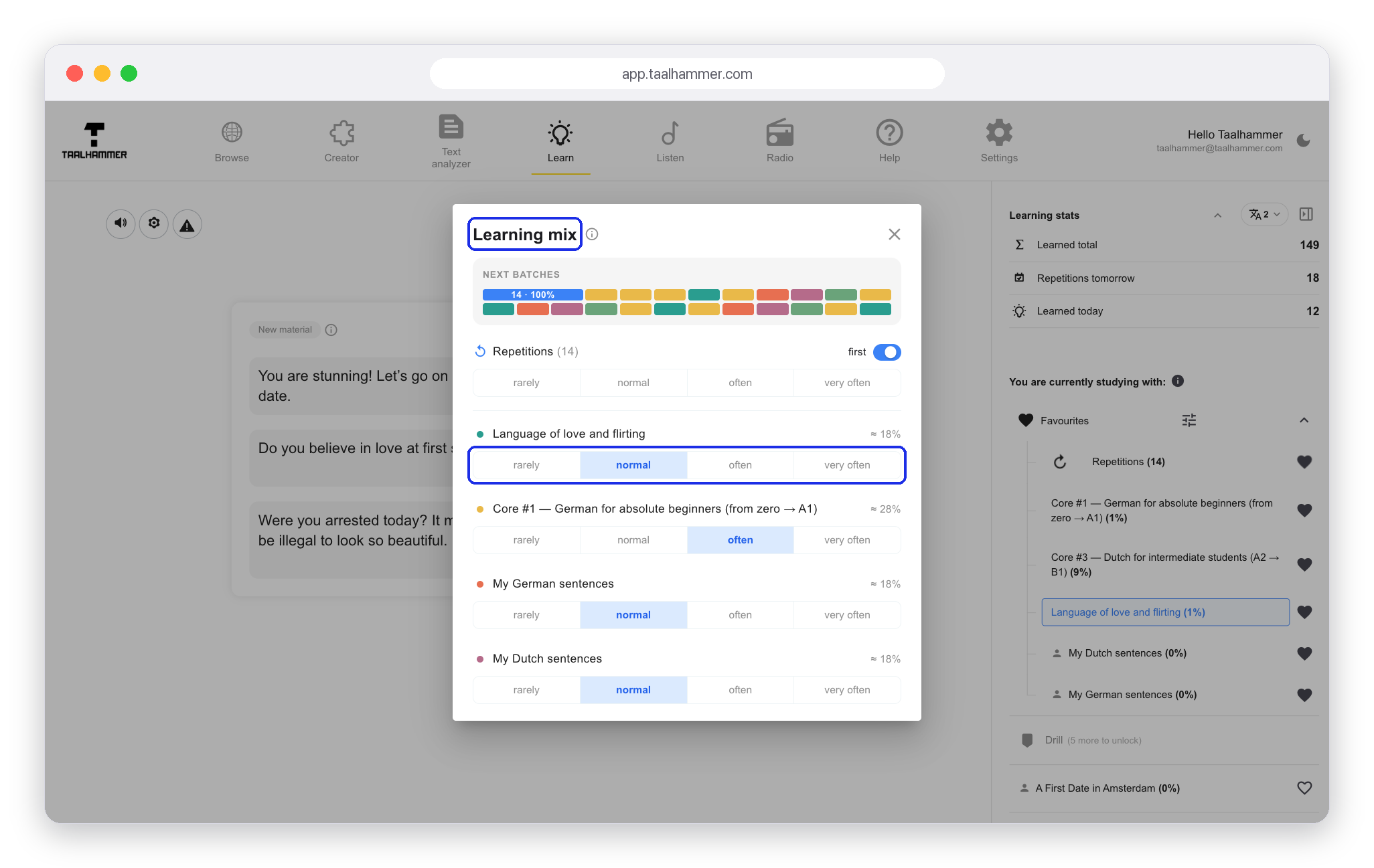
On a computer your Favourites are in Learn, at the top of your library in the panel on the right. On a phone, open My Library. Everything in your Favourites is mixed into your learning: click Favourites and Taalhammer mixes all of the collections for you. To learn from one collection only, click that collection. The heart next to a collection takes it out of the mix but keeps it in your library. Click the heart again and it is back.


The sliders next to Favourites open the Learning mix. For each collection you choose how often it comes up: rarely, normal, often or very often.

Listen works the same way, with the same Favourites, the same settings and the same hearts. To add a new collection, go to Browse, open the collection and click Add to My Library. It goes straight into your library and your Favourites, so it comes up in Learn along with everything else you chose.