6.4
How to edit an existing collection
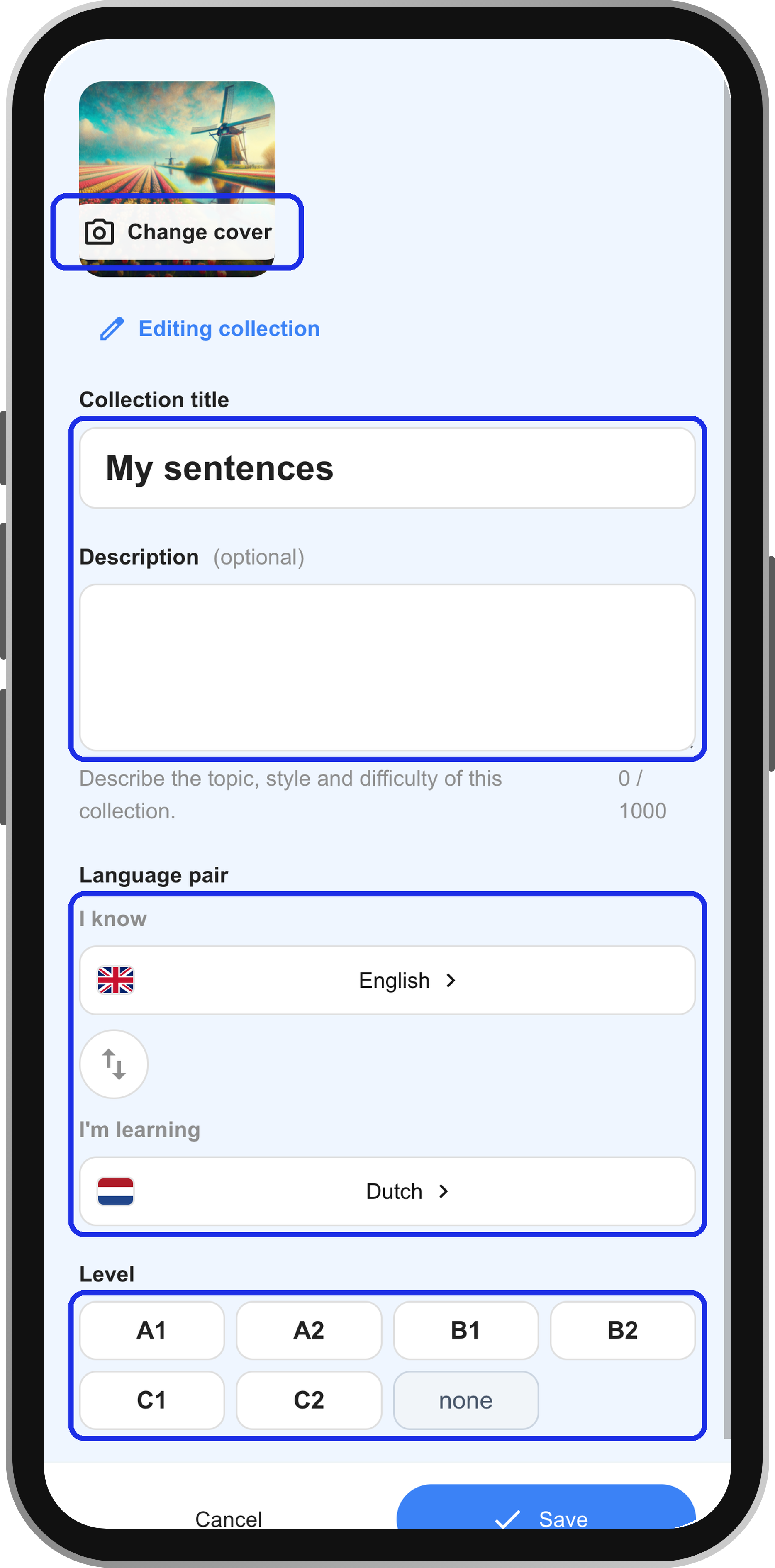
Any collection you have created is fully editable: its title, description, level and content.
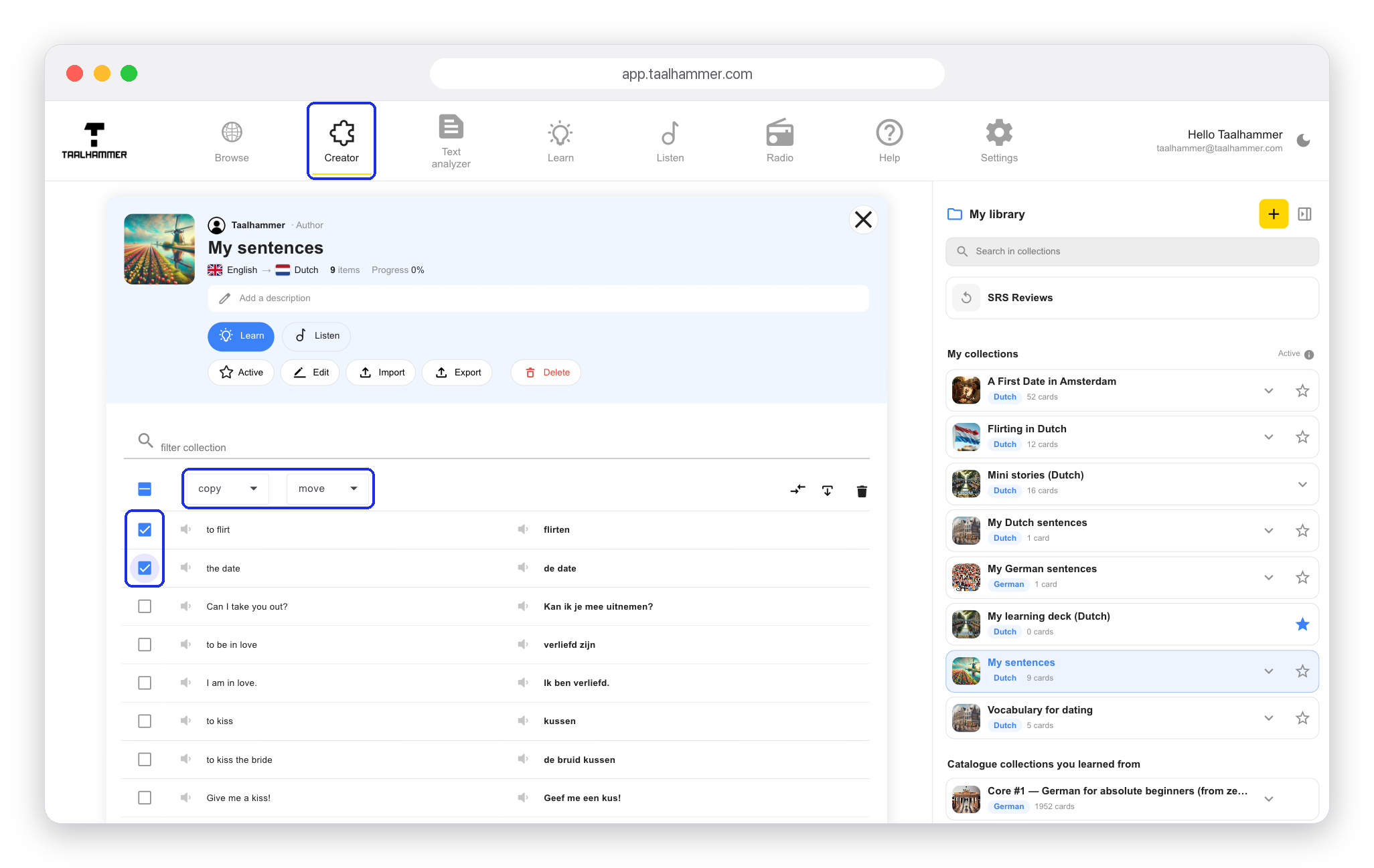
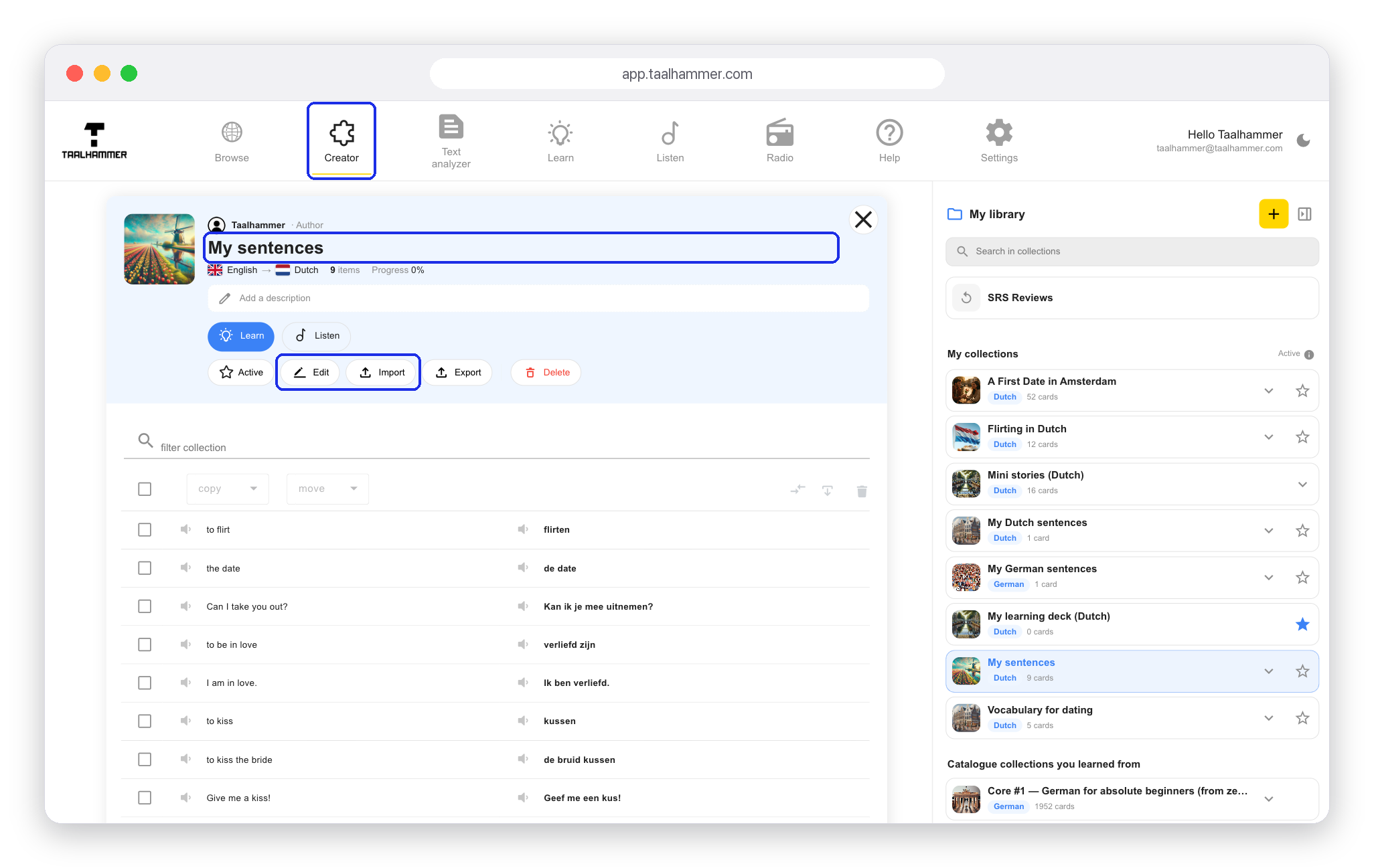
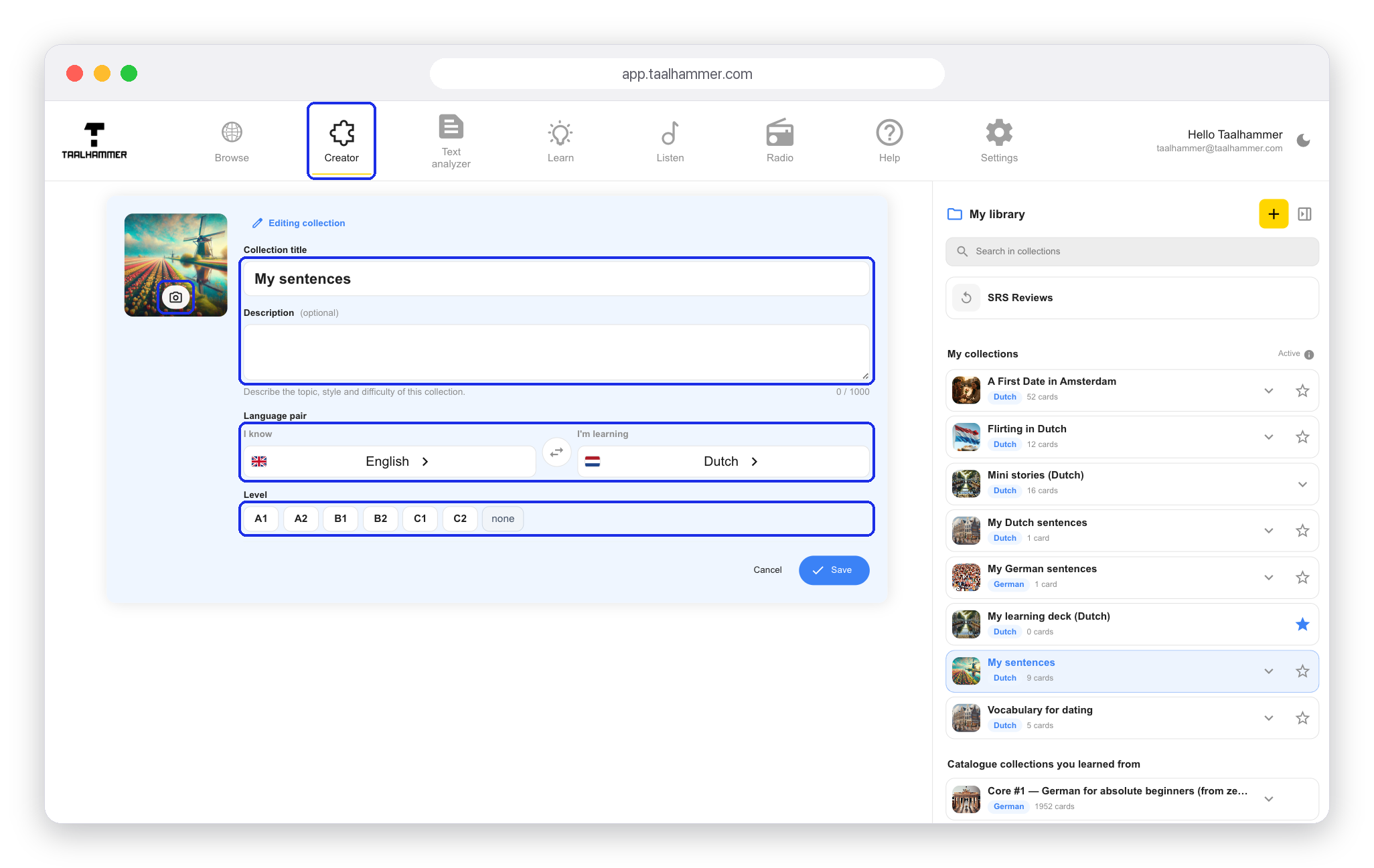
On a computer, go to the Creator and click the collection you want to change in My library. On a phone, open My Library and tap the collection. Click Edit to change the title, description, level or languages. With the Import button you can add content to the collection from a CSV file or an Anki export.

While editing, you can also change the cover image by choosing a picture from your computer or your phone.
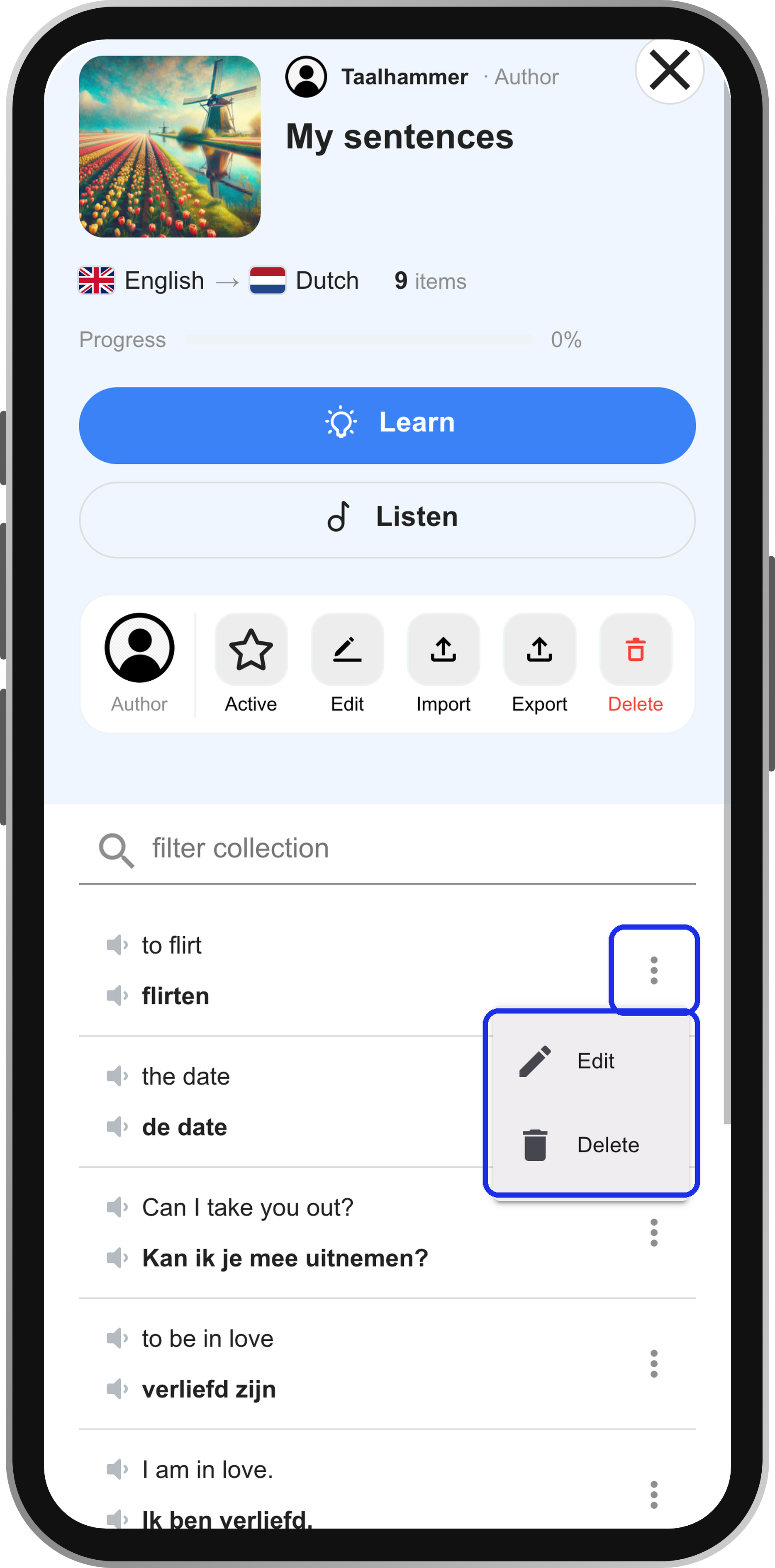
You can edit the content of the collection as well. On a computer you can delete single items, or select several and copy or move them to another collection. On a phone, tap the three dots next to an item and choose Edit or Delete. When you are done, click Learn or Listen to practise what you have added.