6.2
How to generate a collection with AI
You do not have to build every collection by hand. Taalhammer can generate a complete collection for you with AI, on any topic you like.
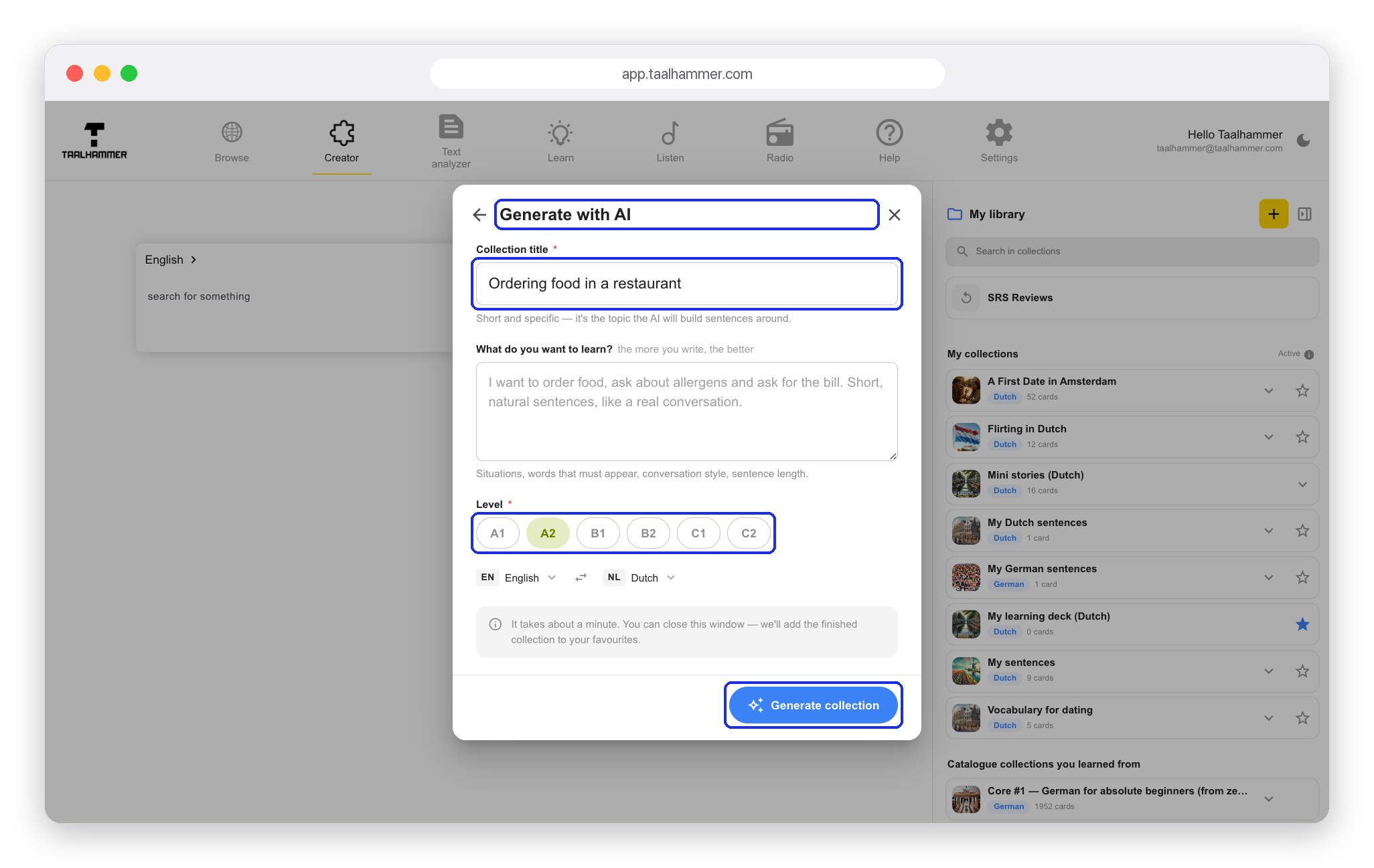
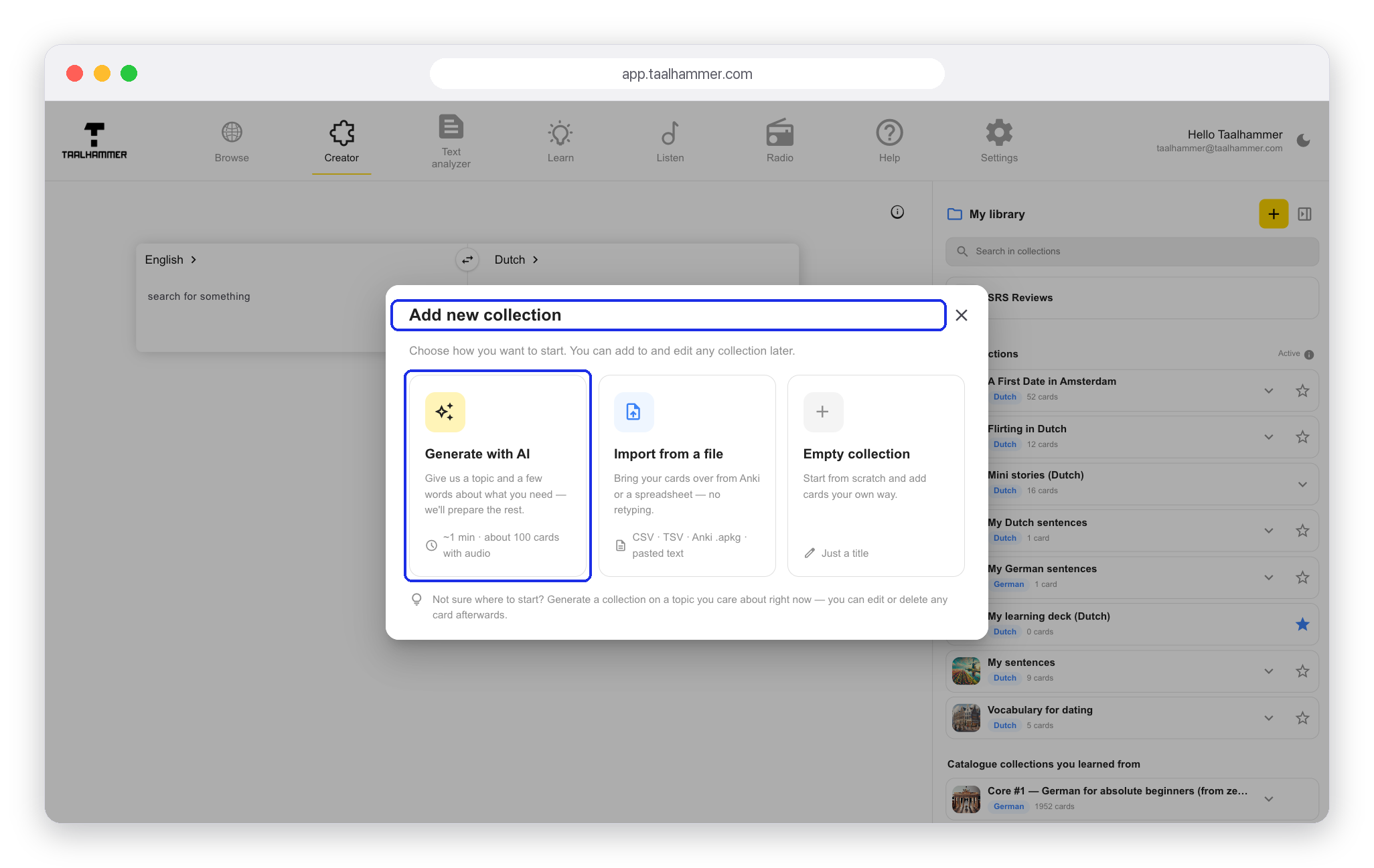
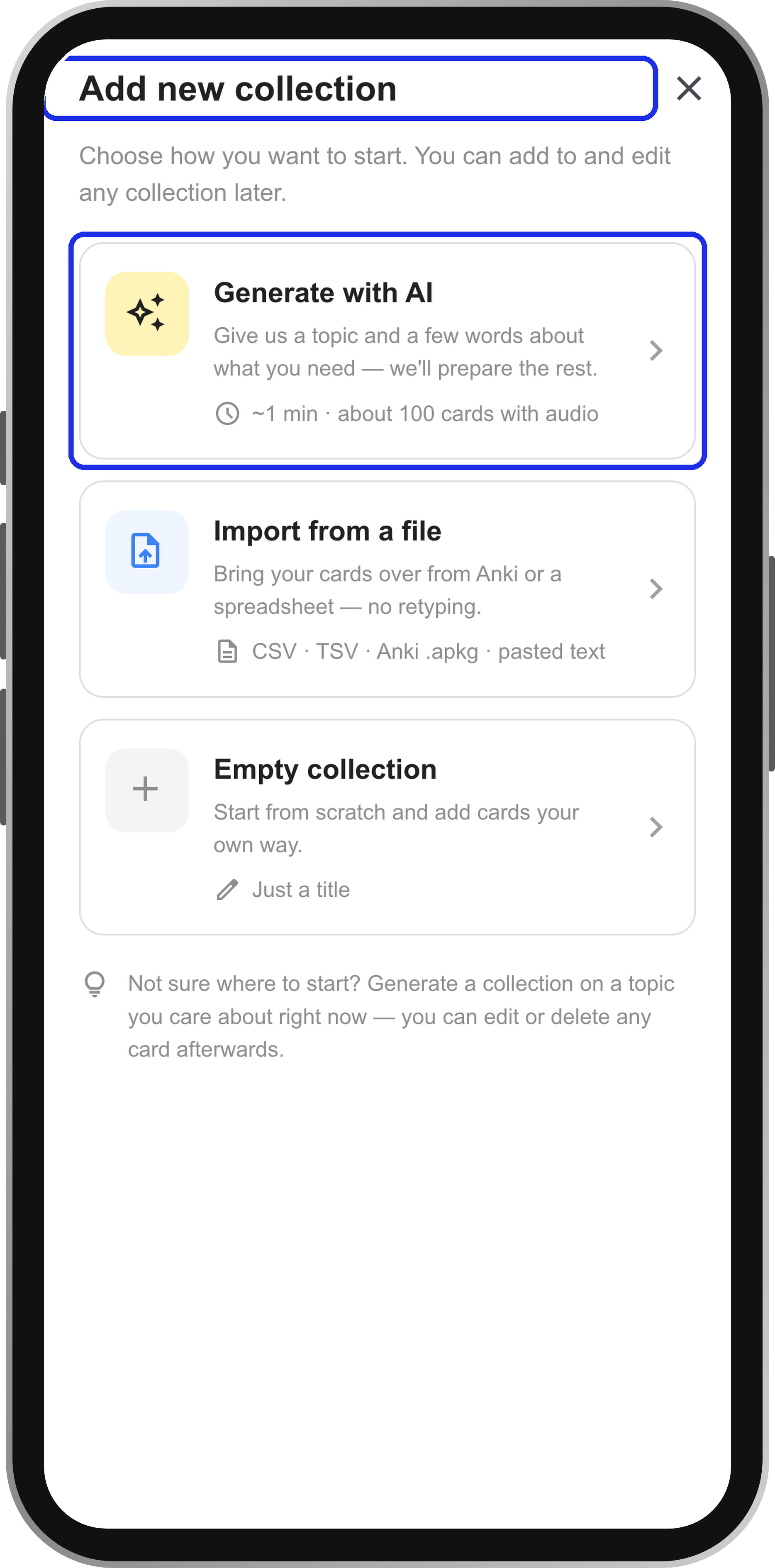
On a computer, go to the Creator and click the yellow plus, Add Deck, in My library. On a phone, open My Library and tap New collection. Choose Generate with AI.
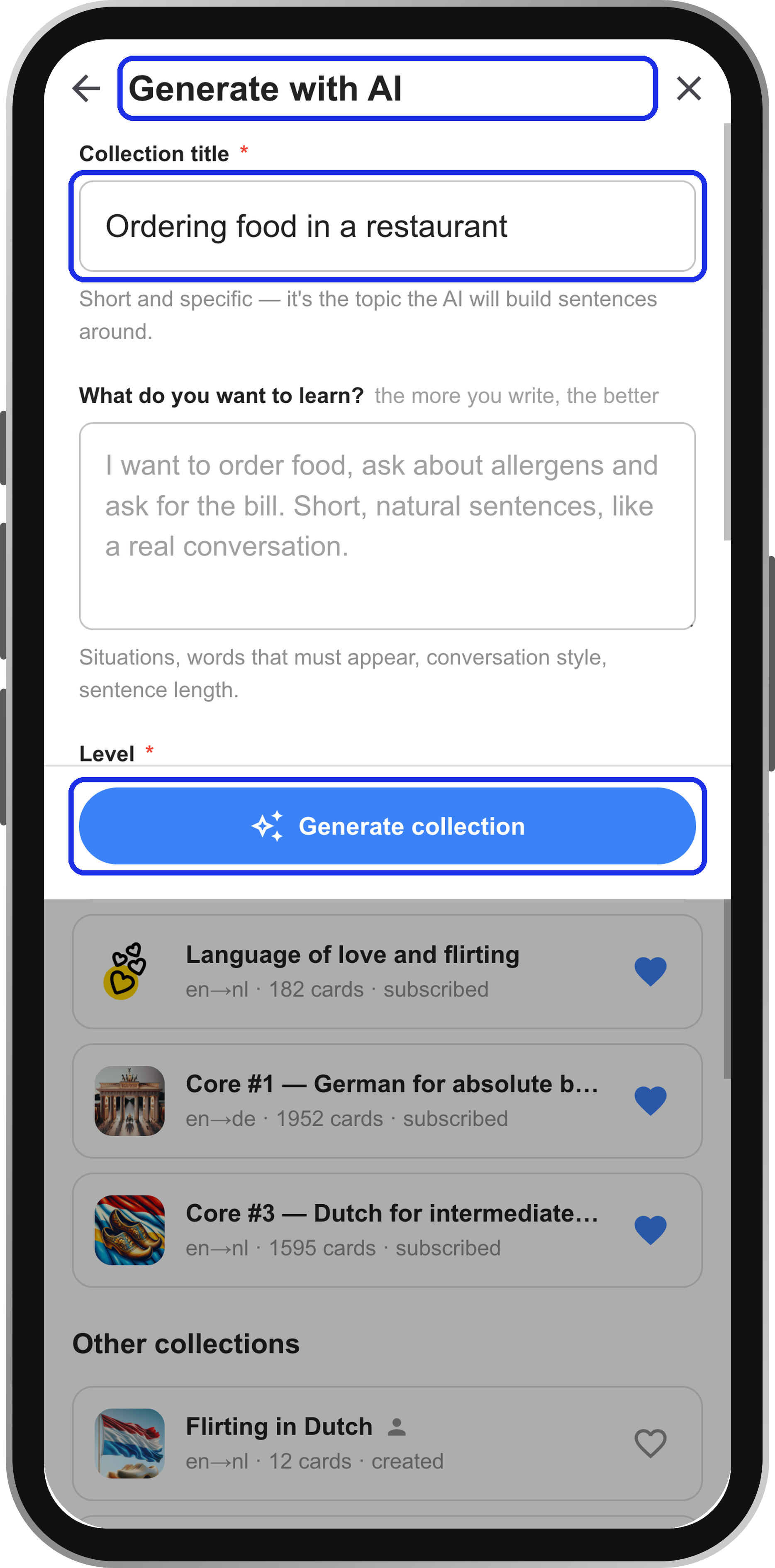
Type a topic that interests you, choose your level and click Generate collection. After about a minute the content is ready. Click Open to see the collection, and start learning it or listening to it straight away. In Learn you recall the sentences and rate yourself; in Listen you hear them hands-free, for example for shadowing.