6.1
How to create a new deck
A collection, or a deck, holds the content you are learning. You can create your own private collections for your favourite learning material.
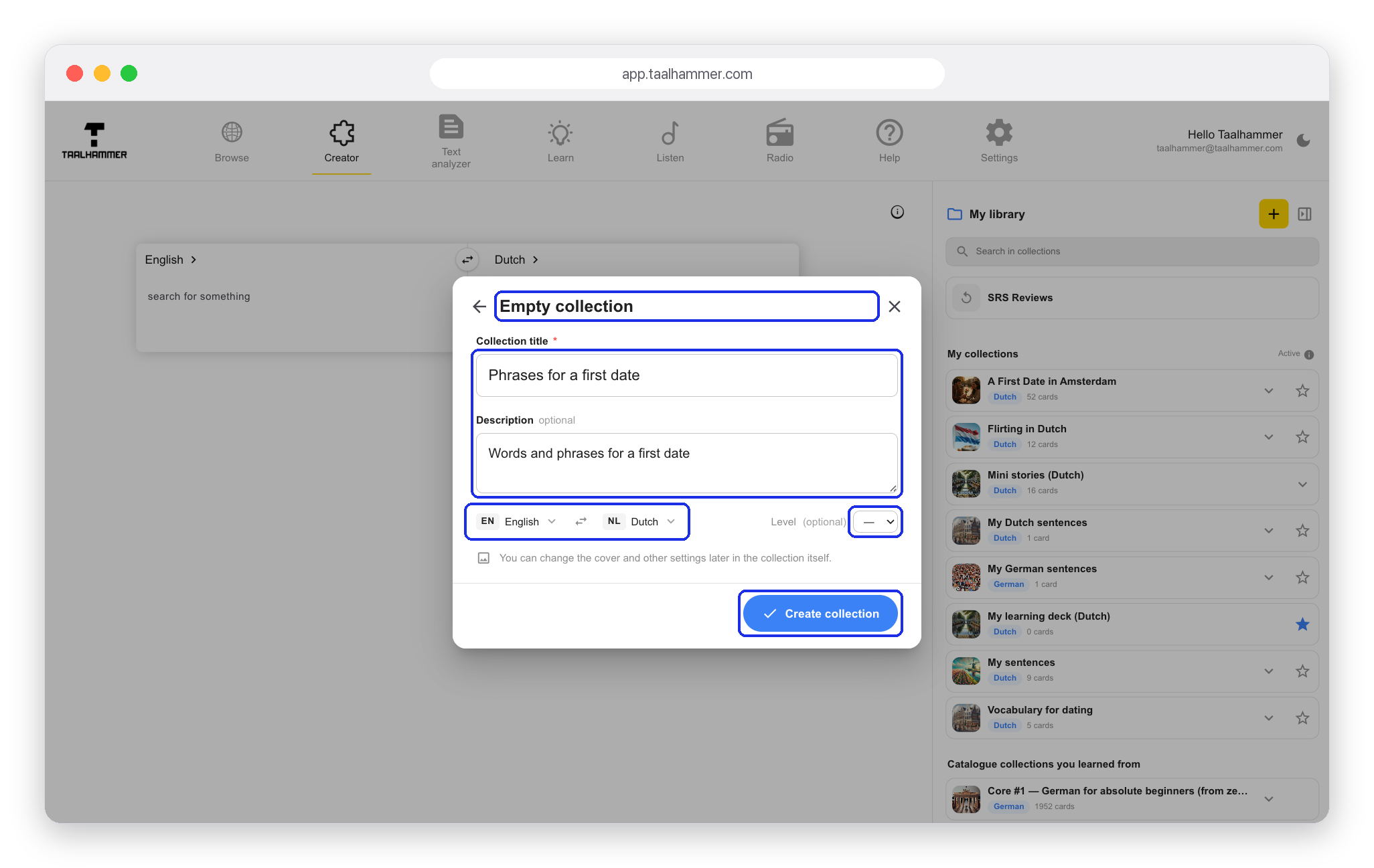
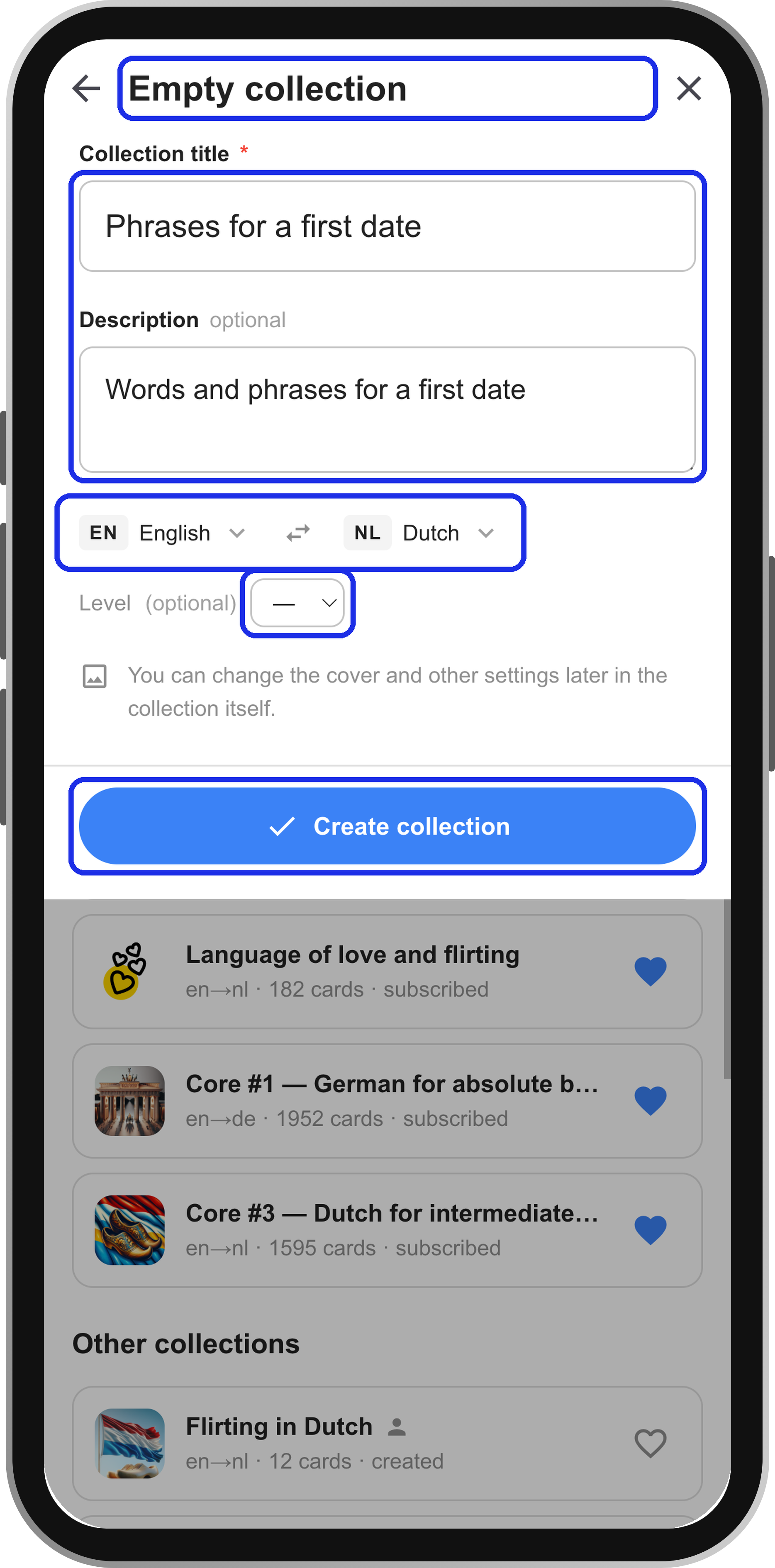
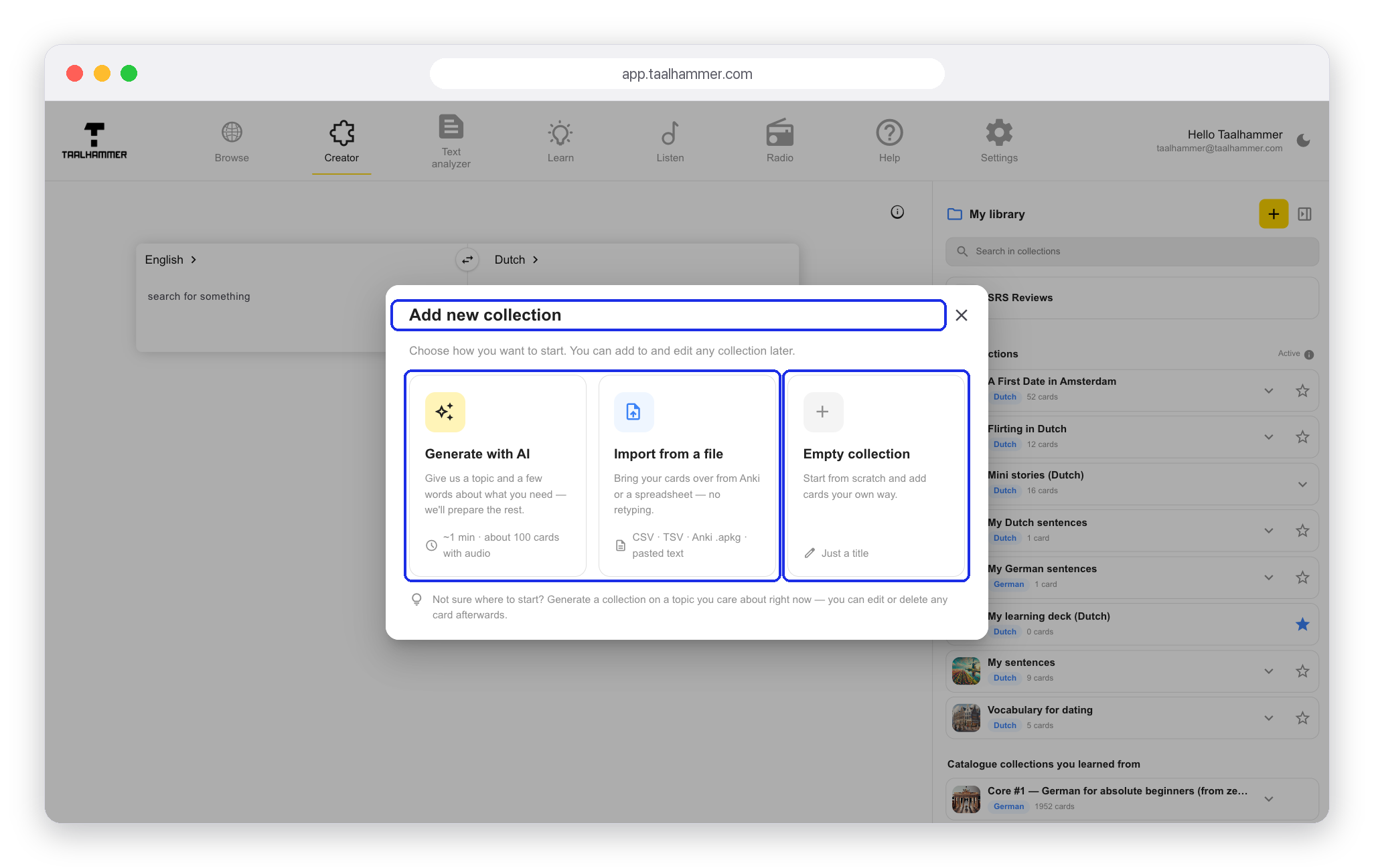
On a computer, go to the Creator and click the yellow plus, Add Deck, in My library. On a phone, open My Library and tap New collection. You can generate a collection with AI, import it from a spreadsheet, a CSV file or Anki, or start from an empty one. Choose Empty collection.

Enter a name and, if you like, a description. Check the source and target languages, and choose a level if you want to set one. Then click Create collection. You can change the details at any time: open the collection, click Edit and adjust the languages, the description or the level. You can also fill it with content using AI, which other articles explain.