5.1
How to create a flashcard
A flashcard is a unit of learning: a word, a phrase or a sentence. In Taalhammer you can make your own flashcards quickly and learn from them. Use the Creator as a translator and a notepad, and every new word, phrase or sentence you come across will stay with you.
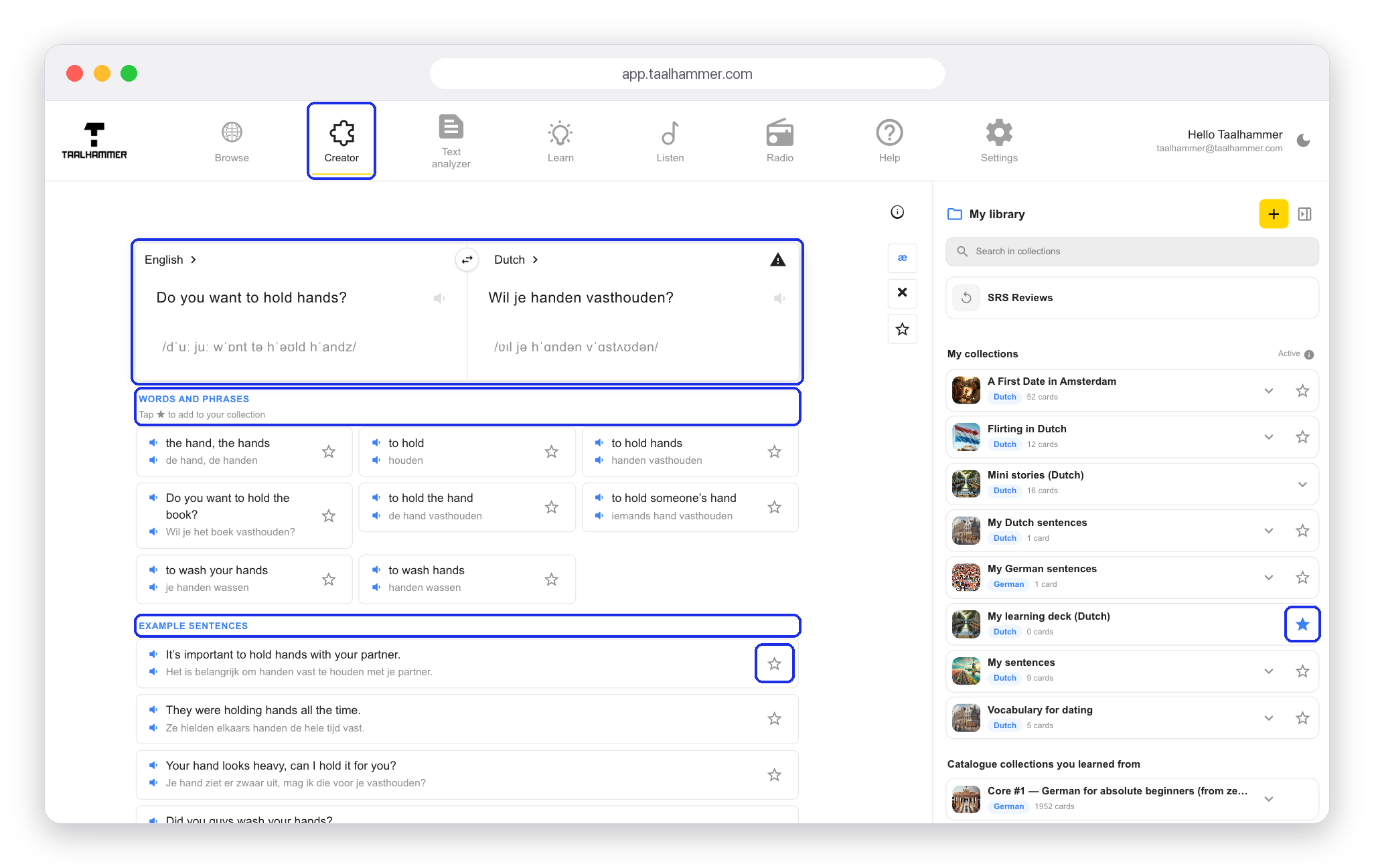
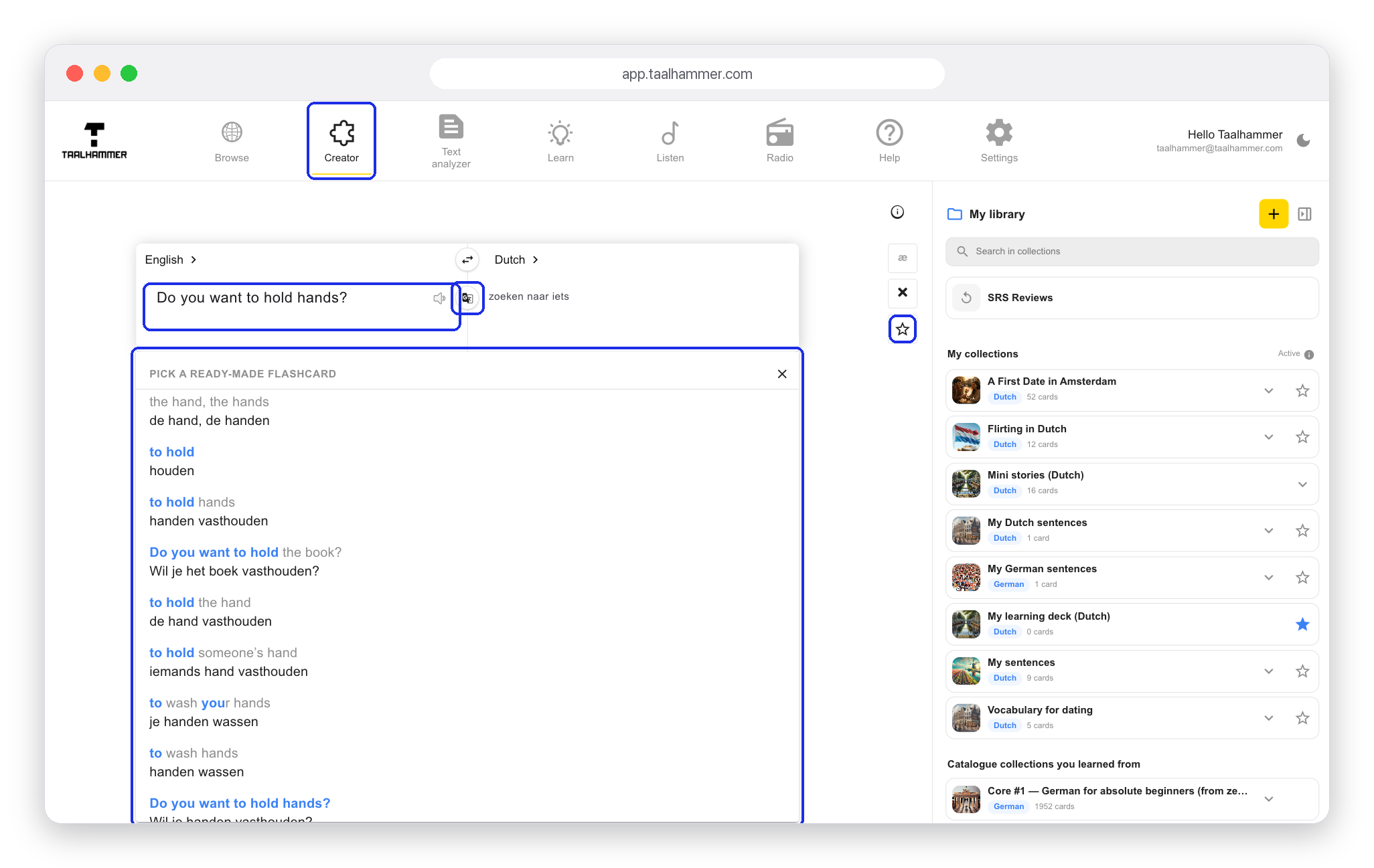
Go to the Creator and type something in your own language or in the language you are learning. Below the field, Taalhammer suggests ready-made examples under Pick a ready-made flashcard, so you can use one straight away and see how the word is used in practice. You can also use the built-in automatic translation, or type the translation yourself. Click the star to save the flashcard.

The flashcard goes into your active collection, the one with a star next to it in your library. On a phone, a notification tells you which collection it went to, and you can tap Change to pick another. From then on you repeat the flashcard in Learn and hear it in Listen. Taalhammer adds audio and a phonetic transcription, and below the card it shows Words and phrases and Example sentences. Click the star next to any of them to add it to your active collection too.