5.5
Learn AND listen to your own personal content
The biggest advantage of Taalhammer is that you learn and listen to your own content, and AI does the work that would otherwise mean a lot of typing and searching by hand.
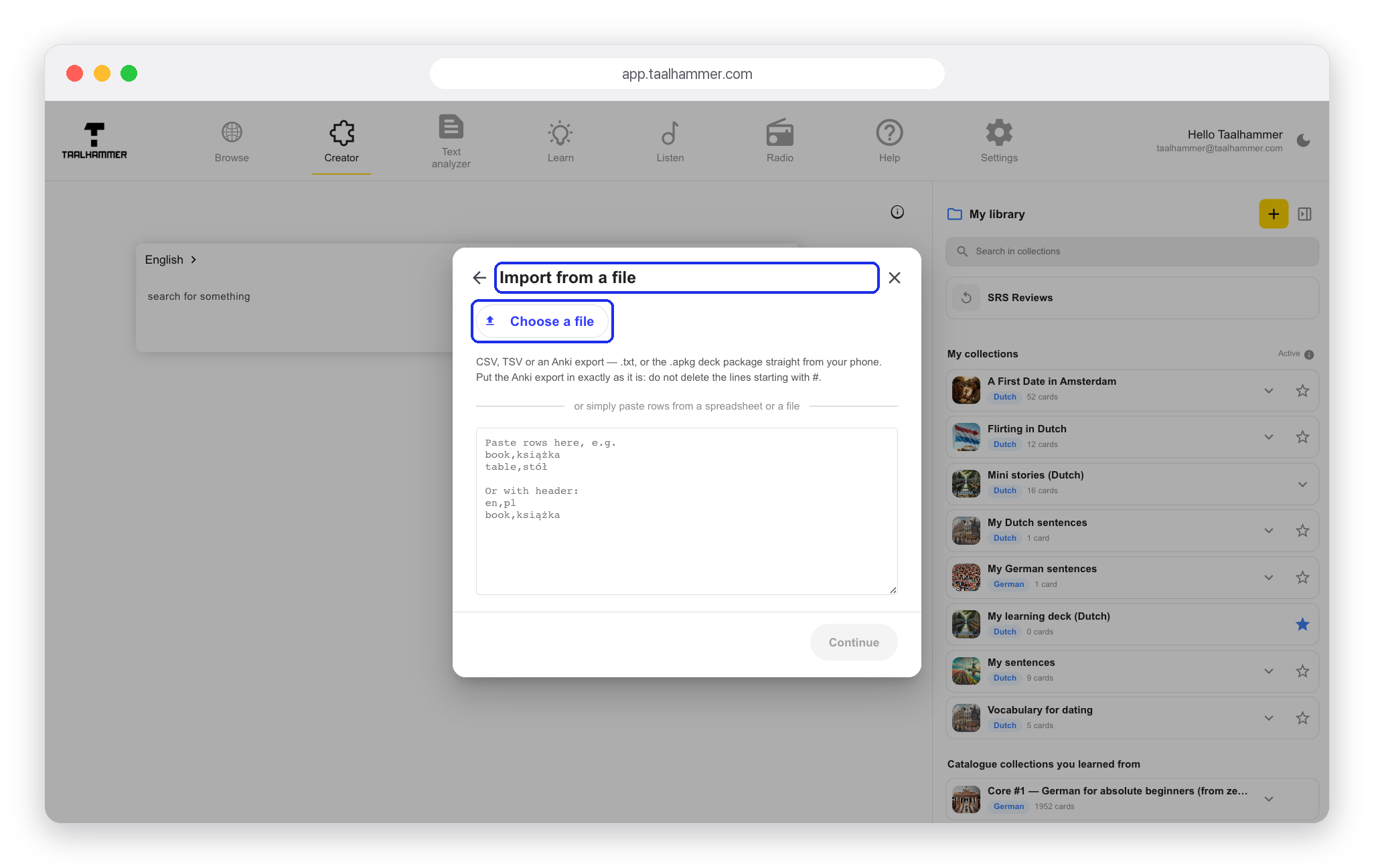
You can import your own content from any spreadsheet, CSV file or Anki export. On a computer, click the yellow plus, Add Deck, in your library. On a phone, open My Library and tap New collection. Choose Import from a file, then Choose a file. Check that Taalhammer has read your format correctly and create the collection. From then on it is part of your learning and listening.

You can also add content by hand. Open a collection, click Active and close it with the cross. Then type a word or phrase in the Creator and save it with the star. It goes into your active collection, and Taalhammer shows you more phrases and sentences that use your word. Click the star next to any example you like, as many as you want.
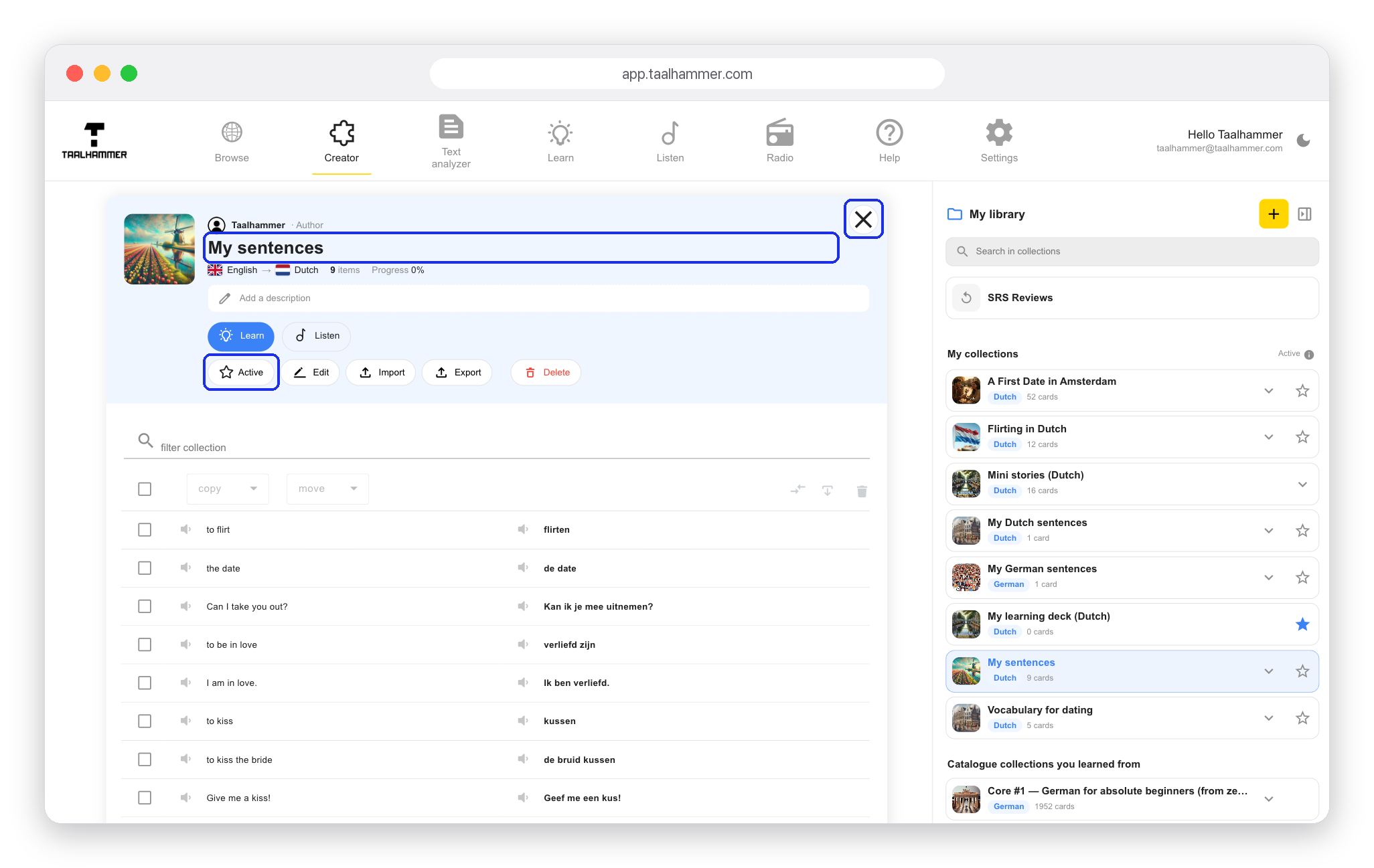

Everything you add appears in Learn, where you recall it and rate yourself, and in Listen, where you hear it hands-free, for example for shadowing. It is content that is truly yours, and it works as hard as a ready-made course.