8.1
How to manage your repetitions
Repetition is what moves a language into long-term memory, and it is also the first thing that piles up after a week away. Taalhammer gives you three ways to stay on top of it.
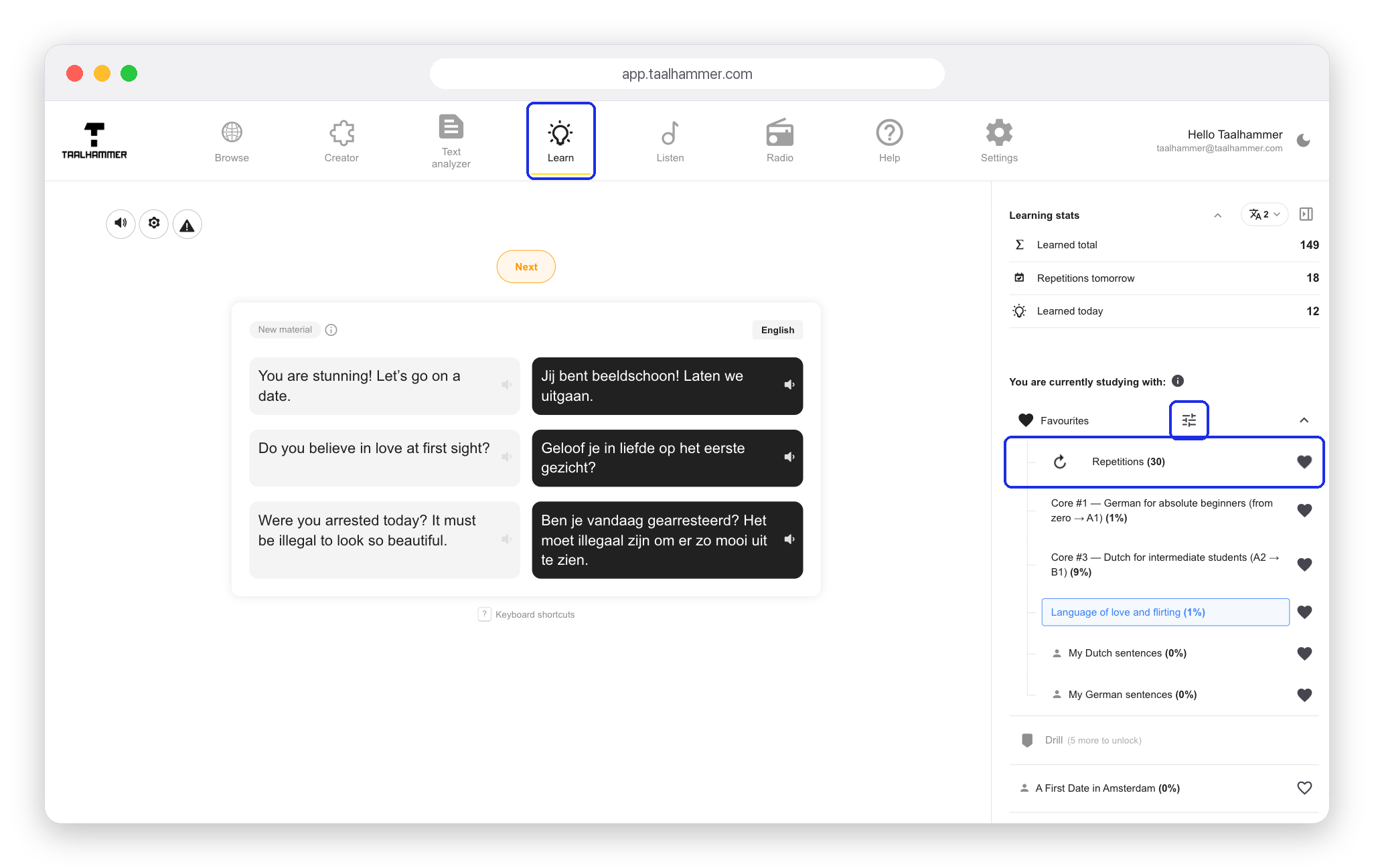
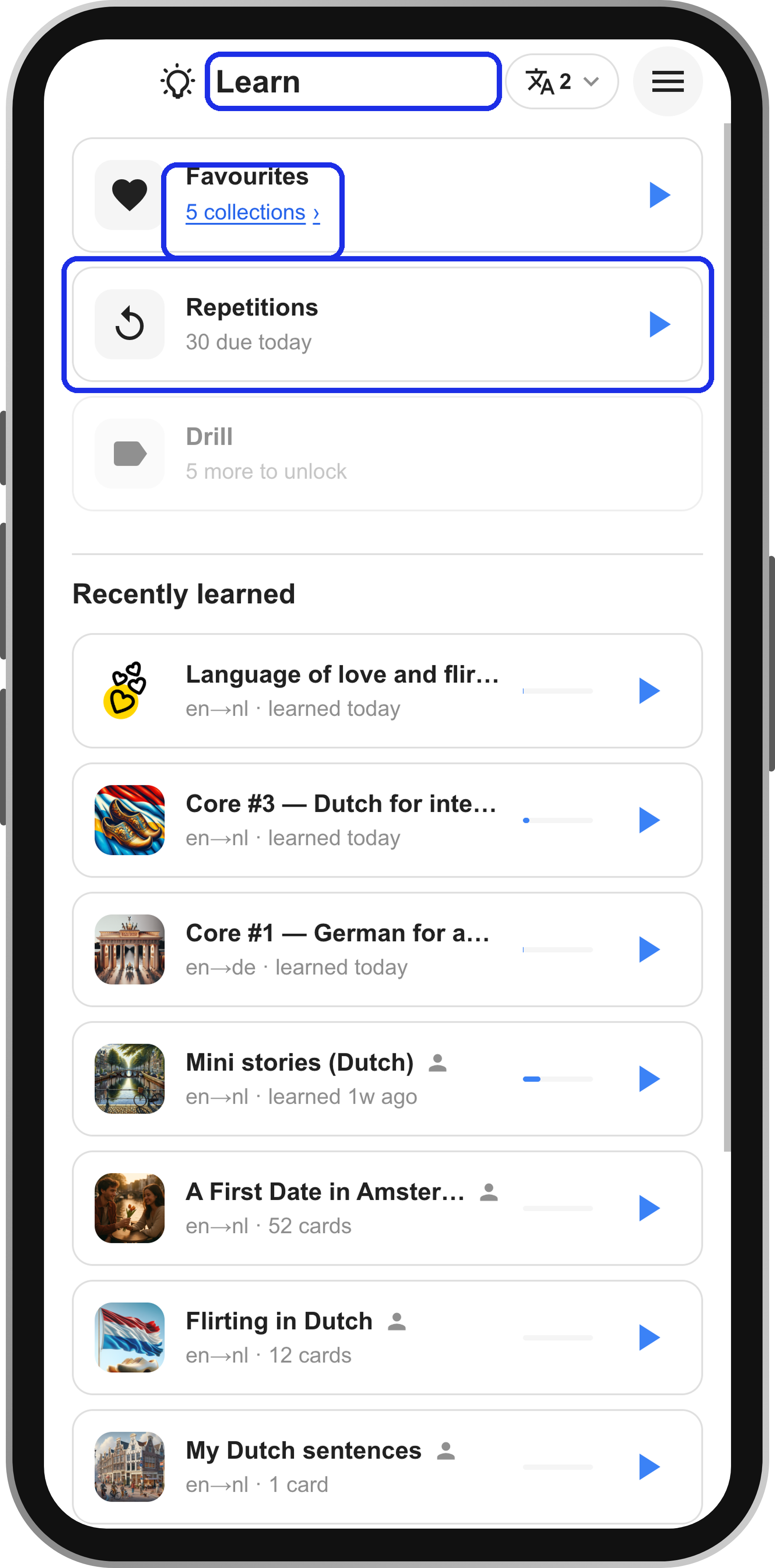
First: in Learn, everything due today is in the Repetitions row. Click it if you want to do only your repetitions. To see how repetitions are mixed with the rest of your material, open the Learning mix. On a computer, click the sliders next to Favourites. On a phone, tap the link under Favourites and then the sliders.
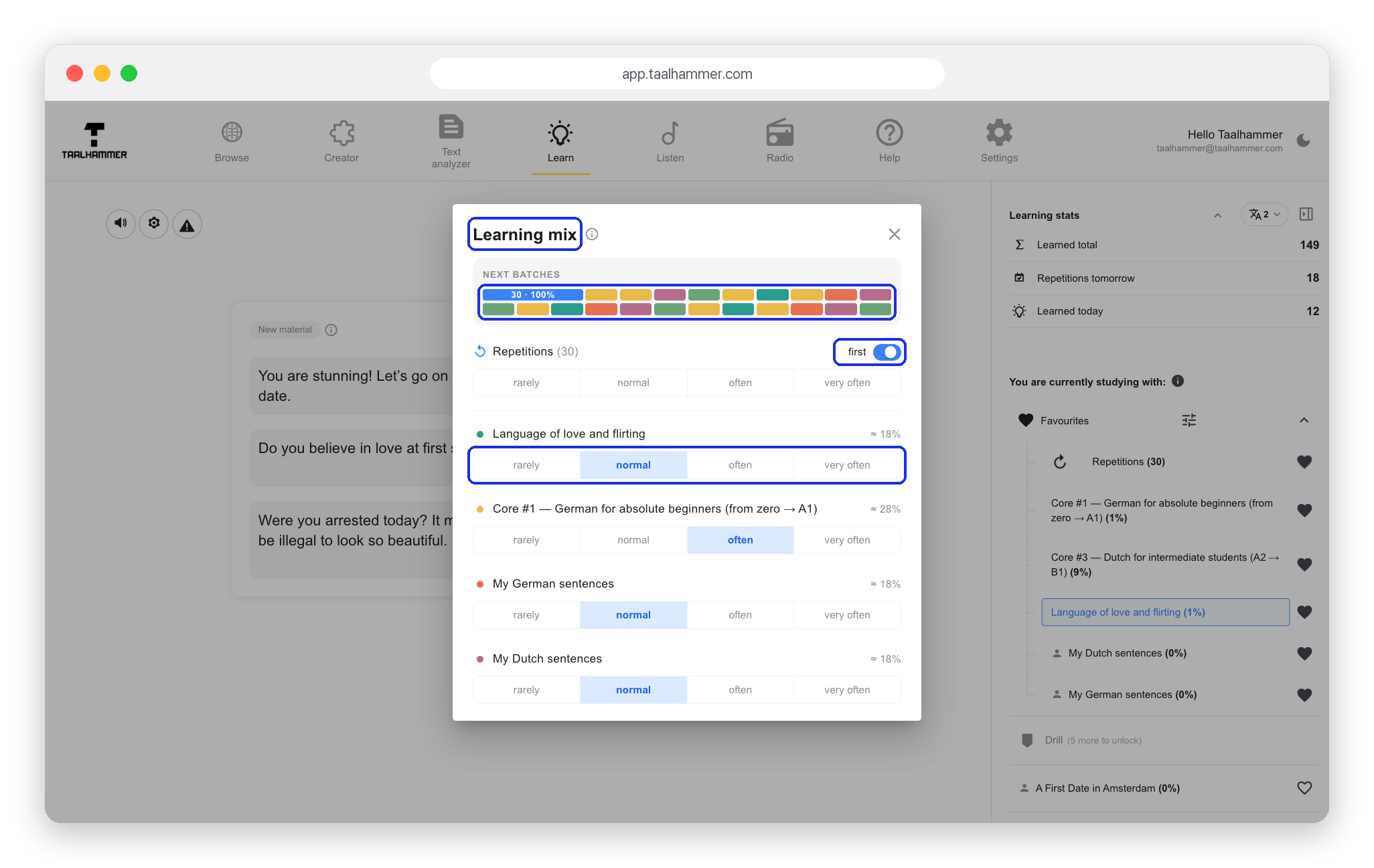
The Next batches strip shows what your next portions of learning are made of. The first switch puts repetitions first: you clear what is due, and new material follows. Every collection has its own weight: rarely, normal, often or very often. Turn one up and it sends more into the mix.

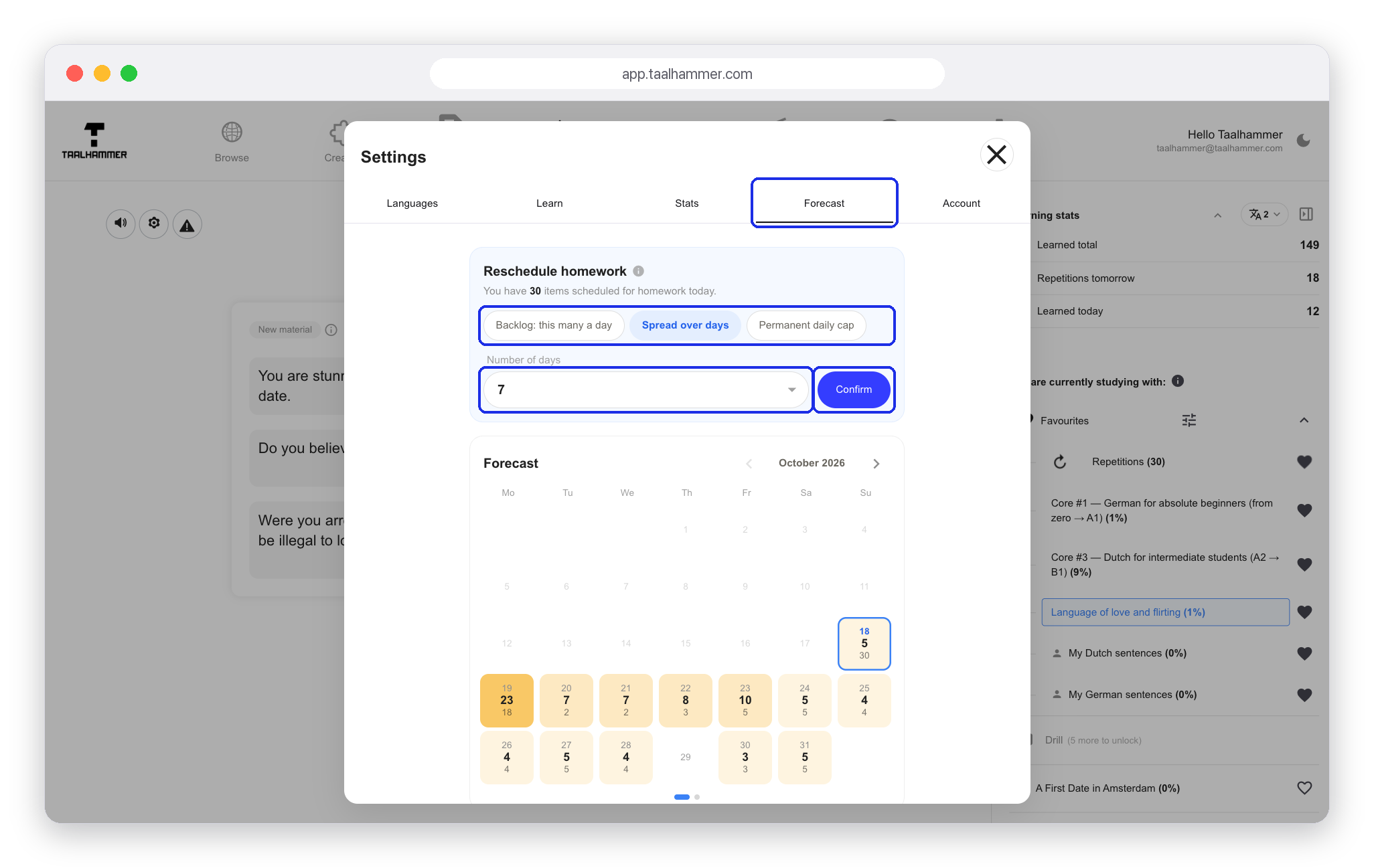
Second: if the repetitions themselves have piled up, open Forecast. On a computer it is in Settings; on a phone, in the menu. The calendar shows how many repetitions are waiting on each day ahead. Underneath you set the pace: Backlog: this many a day, Spread over days, or a Permanent daily cap that no day may pass. Choose a number and the calendar shows the result before you confirm it.

Third: if a card is no longer worth your time, open SRS Reviews (on a computer in the Creator, on a phone in My Library). Every scheduled card is listed with the date of its next repetition and how well you remember it. Click Select, tick the cards you no longer want and delete them. They stay in their collection; only their schedule goes. Keep the queue at a size you can really do, and repetitions stop being a wall.