8.5
How to delete your account
If you ever decide to leave, you do not have to write to anybody. It takes a few clicks, and you get a chance to change your mind.
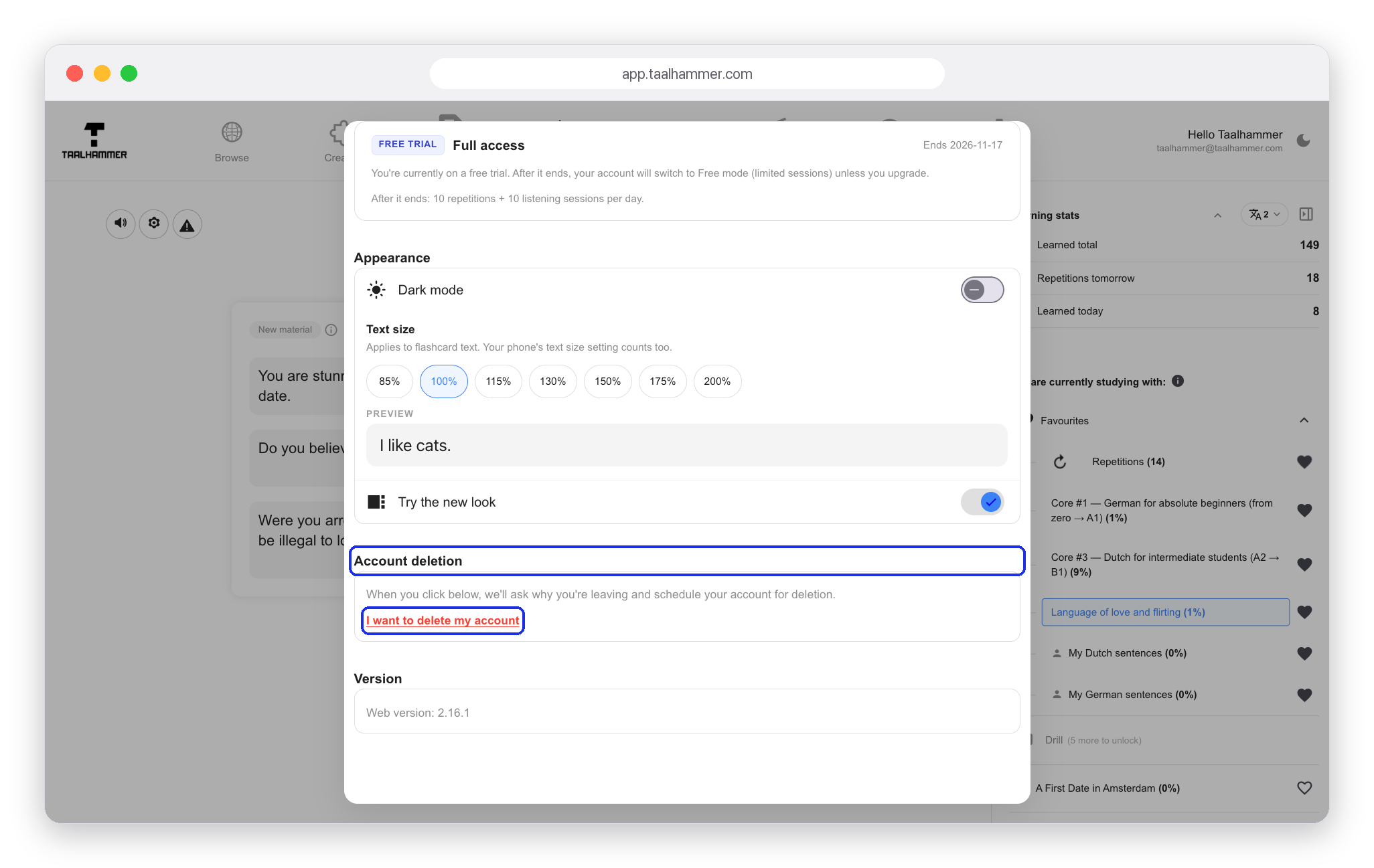
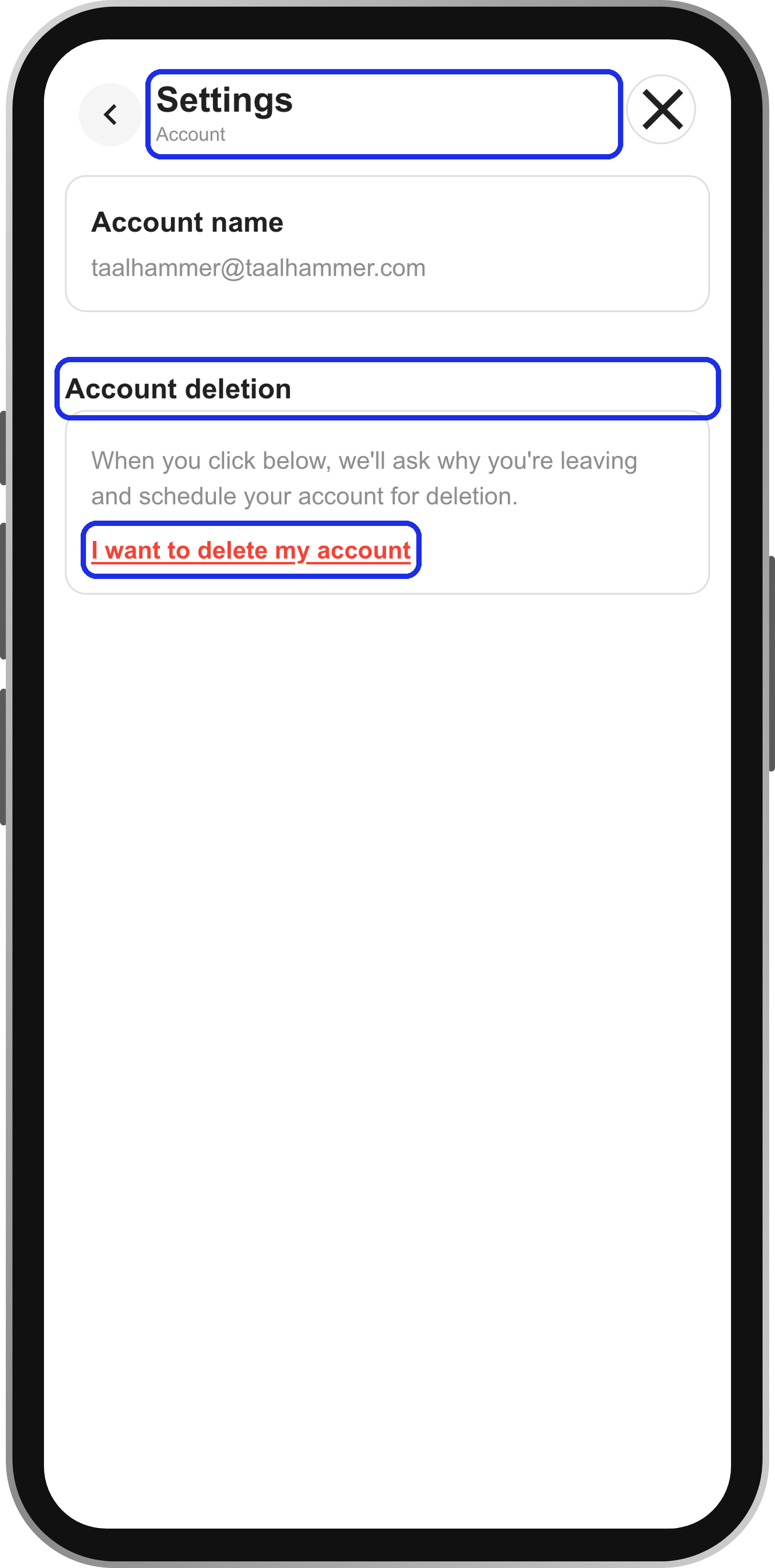
Open Settings, go to the Account tab and scroll to the bottom. On a phone, open Settings from the menu first. Under Account deletion, click I want to delete my account.
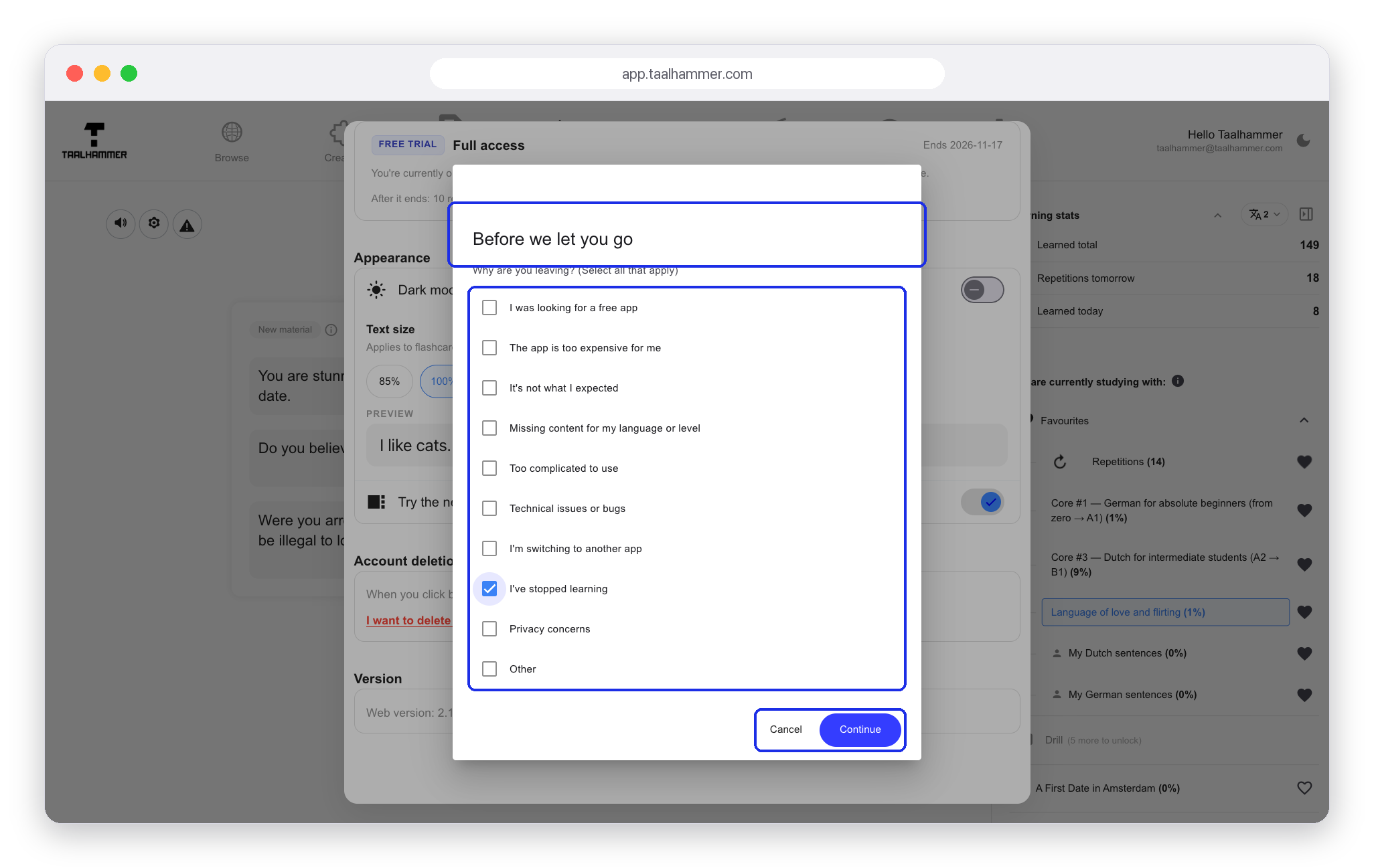
First we ask why you are leaving. Pick your reason: it is the only way we find out what to fix. Nothing has happened yet. Continue takes you to the confirmation, and only that step starts the deletion. If you are not sure, close the window and everything stays as it was.

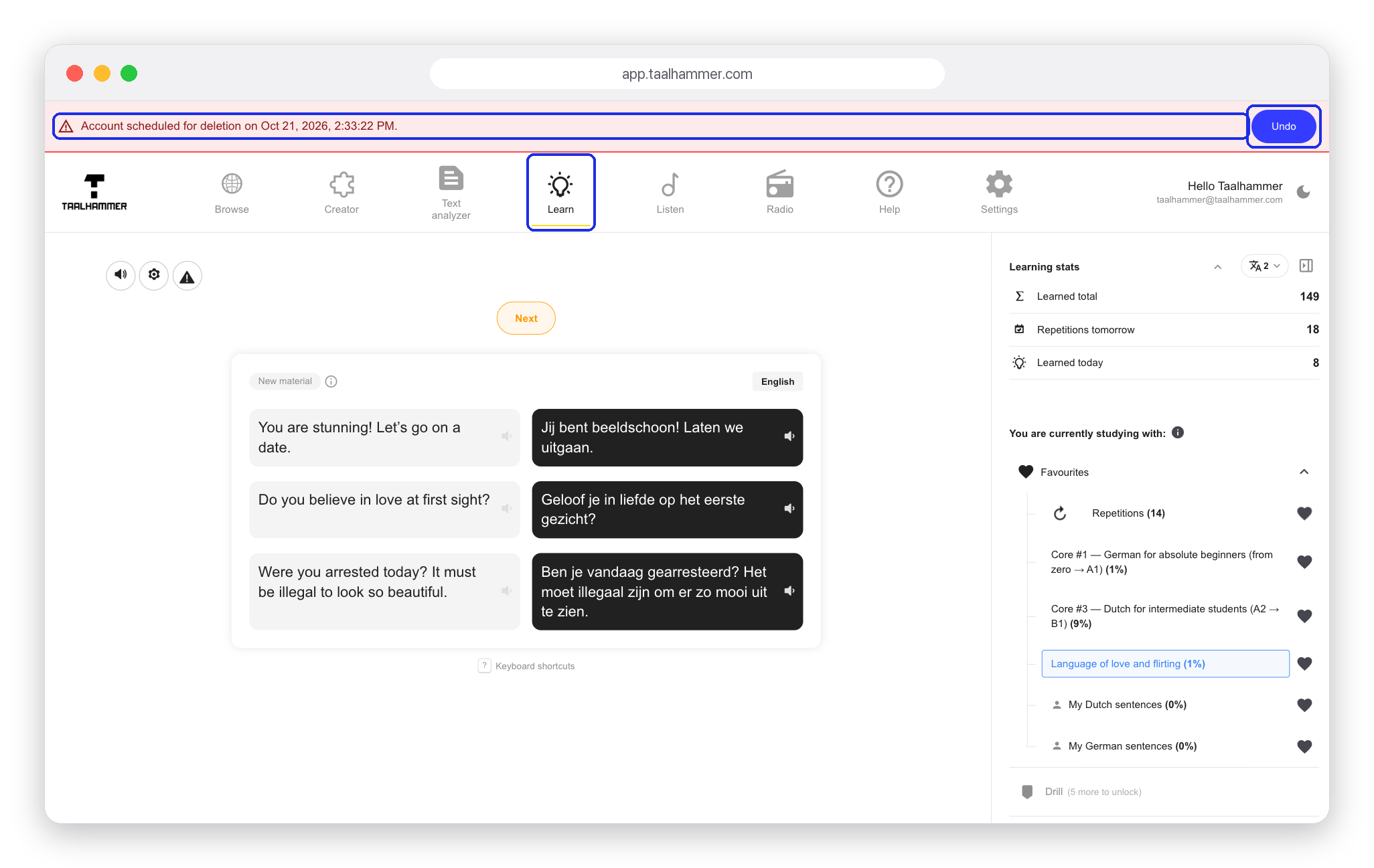
Even after you confirm, nothing happens at once. Your account is scheduled for deletion and your subscriptions are cancelled straight away. Until the deletion runs, you can undo it from the banner in the app or from the link in the email we send you.

If you are sure, know what you lose: your collections, your repetitions and your progress will be gone for good. Signing up again with the same address will not bring them back.