Import from Anki: export the file, upload it, done
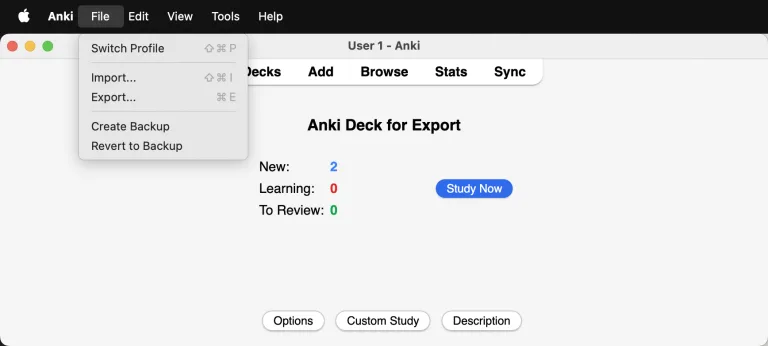
Moving a deck is two steps. Export it from Anki, upload the file exactly as Anki wrote it. You do not open it, tidy it, delete columns or retype a header. Import from Anki takes the file exactly as it is. An .apkg package straight off your phone works just as readily as a text export from a computer. The same upload accepts any CSV or TSV, so this page works just as well for a spreadsheet you have been keeping for years.
Step 1: export from Anki
Export your deck. It does not matter how, and it does not matter from where.
On a phone (AnkiDroid, AnkiMobile), export the deck and you get an .apkg package. That is enough. You do not need a computer.
On a computer, go to File ▸ Export and export the deck. You can leave Anki's default .apkg package or choose Notes in Plain Text (.txt). We read both. The five checkboxes below the format do not matter, ticked or not.
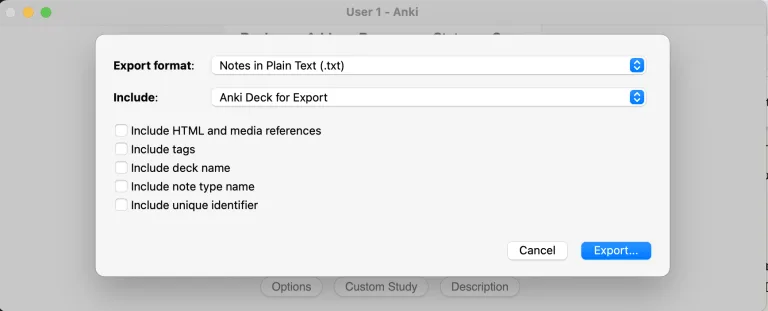
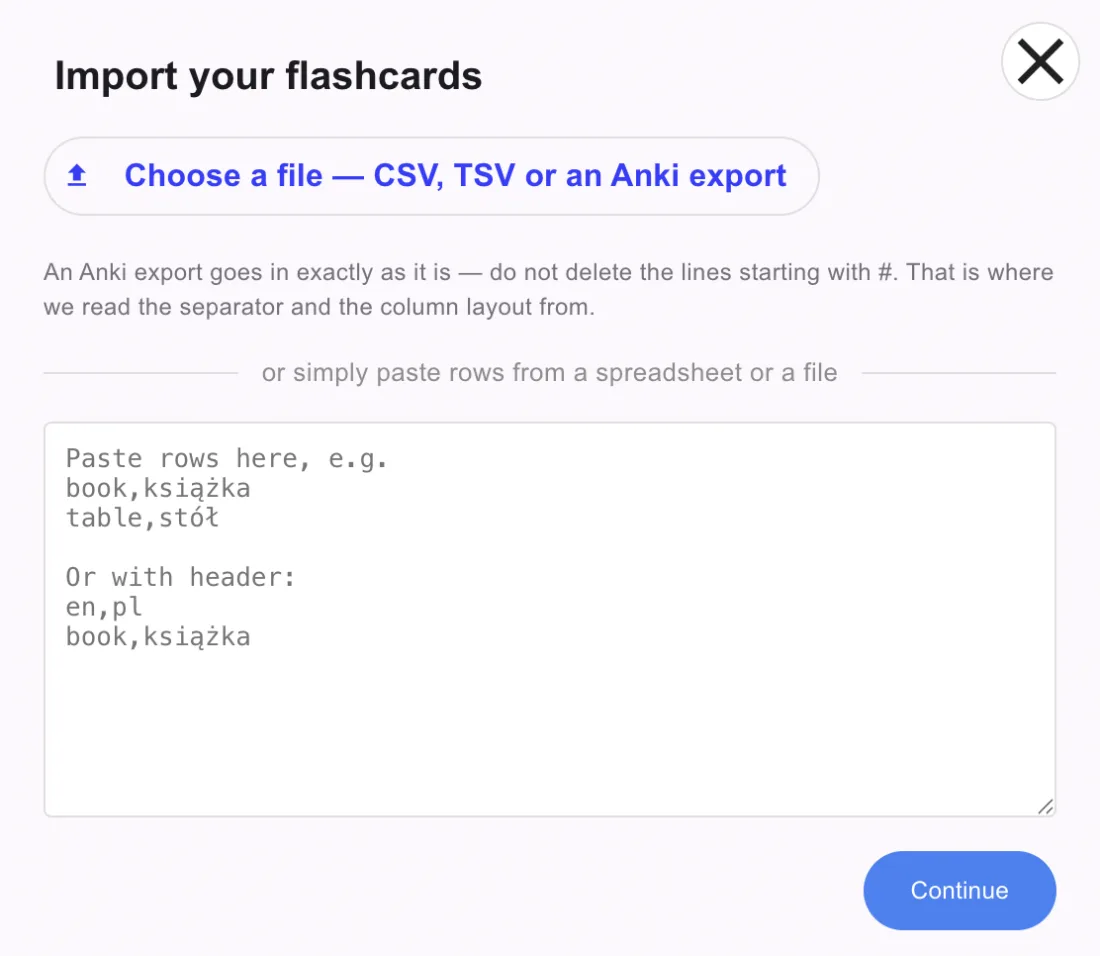
That is the whole Anki side. Do not tidy the file afterwards, and in particular do not delete the lines starting with # if you chose the text export. Those lines tell us which separator the file uses and which columns hold your text.
Step 2: import into Taalhammer
Open Creator, pick the collection you want the cards in, and press Import.
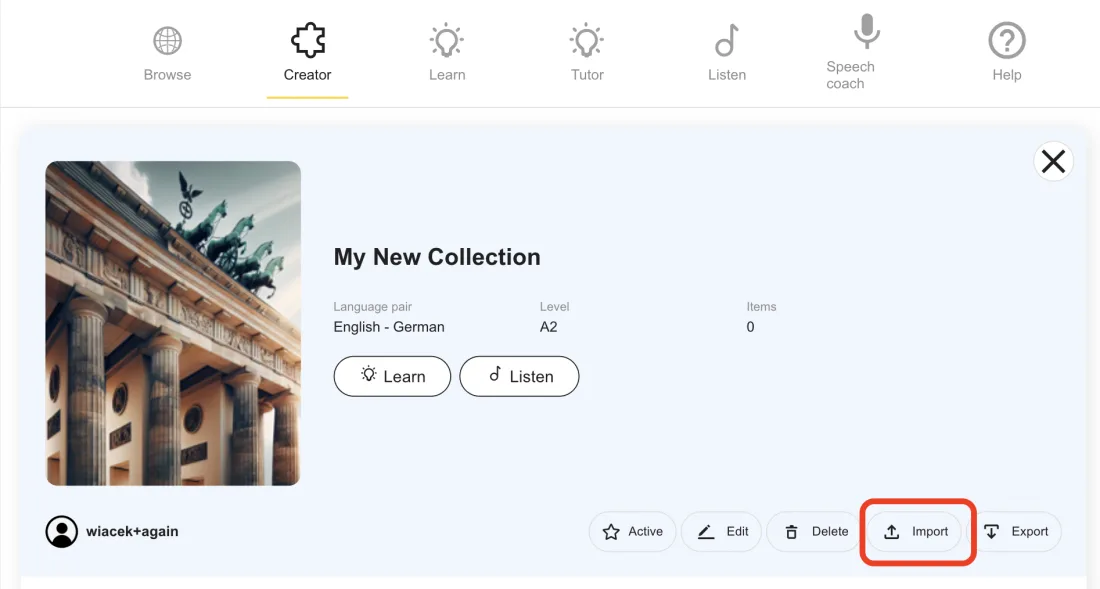
Choose your file. Anything you exported from Anki works here, .apkg or .txt, and so does a plain CSV, a TSV, or rows pasted straight out of a spreadsheet.
Then we show you what we found and ask you to confirm it: how many rows, how many columns, which separator, which metadata lines we removed, and which language sits in which column. Five of your own cards are shown as examples, so you can see it read the file correctly before anything is created.
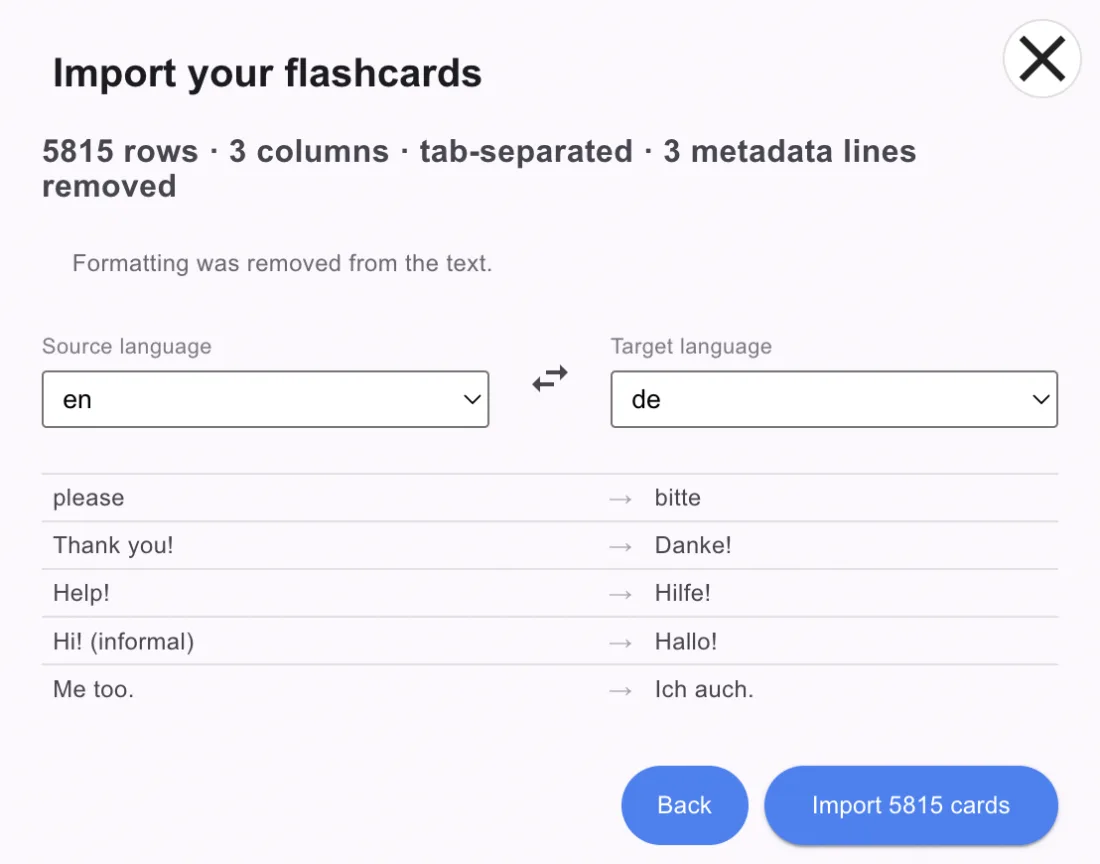
Press the button and the cards are yours.
It is not only Anki
The importer reads the file rather than trusting its name. Tab, comma, semicolon and pipe separators are all detected, with or without a header row, and formatting is stripped from the text. If the file declares its languages we use them and ask nothing. If it does not, we work them out from the content and show you the answer to confirm, which is the screen above.
That confirmation is not politeness. Listening plays the target side out loud, so a silently swapped import would read the wrong language to you in the wrong voice. It is worth the one click.
The one thing that stays behind
Your review history does not come with you. Every card does, but the intervals stay in Anki, because scheduling lives in Anki's database and not in the export. Imported cards start their schedule fresh.
In practice that costs less than it sounds. The scheduler adapts from your first few ratings, so a card you genuinely know gets pushed straight back out. You are re-confirming it, not re-learning it. But if the value of your collection is the history, years of tuned intervals across twenty thousand mature cards, then that is the thing you would be giving up, and it is a fair reason to stay where you are.
What every card gains
Every imported card gets a voice on both sides, neural text-to-speech in any of 76 languages, and a phonetic transcription (IPA), including for scripts you cannot read yet. No add-ons, no per-deck configuration. It happens to all of them, including the twelve thousand you just brought over.
Once your cards have audio they stop being only a thing you sit down to review. The same sentences play back like a podcast made of your own material, on the commute or at the gym, and that half of the app is here. If you would rather see how new cards get made, that is the Creator, and how the audio and transcription are produced is written out too.
Where Anki still wins
Worth saying plainly, because you will check anyway. Anki is free and open-source, and it works offline. Taalhammer is a paid subscription with a free trial, and it has no offline mode. On a plane or in a tunnel with no signal, it does nothing. If either of those matters to how you actually study, Anki is the better tool and no amount of automatic audio changes that.
What we offer is the other trade. You stop maintaining a machine made of add-ons, and every sentence you own gets a voice and a transcription without you doing anything.
Free trial, then a subscription. No offline mode, and your Anki scheduling history does not come with you.